Public URLs
for developers, designers and agents.
Put localhost on a stable Public URL to test webhooks or share previews without deploying. Publish a Snapshot and reviewers comment on it after you close the laptop.
Free 14-day trial included. No credit card required.

Trusted by the dev teams at
“I was banging my head against the wall for hours trying to get a local kind cluster to trust Dex as an OIDC provider deployed inside it. With LocalCan, I was able to replicate a production deployment locally within minutes. We pretty much use all of its features.”

Test webhooks and OAuth callbacks
Point Stripe, Clerk, or GitHub at a stable Public URL and watch every delivery land in the inspector. Replay a failed request instead of re-triggering the provider.
Share it without deploying
Built it with Cursor or Claude Code and it runs on localhost. Send a real HTTPS link now, with no commit, no build pipeline, and no hosting account.
Share the link, get feedback.
Publish a Snapshot and the same Public URL serves a deployed version. Lock it with a password or a secret link. Others can add comments right on the page, like in Figma.
Everything above, agents can do
Over MCP or the CLI, from Claude Code, Cursor, or any agent.
Not just Public URLs
Tunnel databases, SSH boxes, and Kubernetes clusters. Anything that speaks TCP, not just HTTP/S.
Open your localhost build on an actual device over HTTPS, with no deploy and no certificate warnings.
Hosted AI clients need a real public URL, and you need to see every payload they send. LocalCan does both.
How it
works
Visitors
Webhooks
API Calls
- Security
- Access Control
- DDoS Protection
- Routing
Although LocalCan is framework agnostic, it's been fully tested with:
Built for Teams. Flat per-seat billing. Roles and seat control (RBAC). Team-level custom domains. Shared access policies. Okta SSO + SCIM provisioning. Audit log. Founder-led support.
Free 14-day trial included.
No credit card required.
Frequently asked questions
Can AI agents like Claude Code use LocalCan?
Yes. LocalCan includes an MCP server with 26 tools, so agents like Claude Code, Codex, and Cursor can use it directly: an agent can read the requests LocalCan captured to debug a failing webhook, create, pause, or remove Public URLs, publish Snapshots, and set passwords. Access is read-only until you allow changes, sensitive headers like Authorization, cookies, and API keys are redacted by default, and you can turn agent access off at any time. Setup is one command, copyable from the app's Settings.
Can I use LocalCan without a subscription?
Yes, two ways. Without an account, LocalCan gives you unlimited local-network .local domains with automatic HTTPS and traffic inspection. Sign up for the Free plan, with an email and no card, and you also get one live Public URL at a time, in 60-minute HTTP sessions, with 1 GB of traffic per calendar month. TCP tunnels and custom domains are part of the paid plans.
How does pricing work for a team?
The Teams plan is flat per seat. You pay a fixed monthly price for each seat, with no usage-based or metered charges. There are no per-request, per-gigabyte, or overage fees, so the number you see up front is the number you pay.
What does LocalCan store, and is our traffic private?
The request inspector runs locally in the app, so the contents of your requests and responses are never stored on LocalCan's servers. We only keep tunnel metadata like bandwidth and an audit log. All tunnel traffic is served over HTTPS with automatic certificates. A public URL is reachable by anyone who has the link, and you can lock it down with Access control: a password page, a secret link, or IP rules, enforced on LocalCan's servers so protection stays on even while your machine is offline.
What is the difference between a Public URL and a Snapshot?
Both are ways to share an app, website, or prototype with clients or teammates on one link. The Public URL serves it live from your machine, so reviewers see the latest state while you are running it. A Snapshot is a static copy published to LocalCan, and the same URL serves it whenever the live app is not running. Reviewers can comment right on it. Together they make the URL always-on. Snapshots are included on every plan and stay published as long as your account is active.
Can I use my own domain?
Yes. Connect your own domain, like preview.acme.com, so your public URL never changes. It is shared across the team and is part of the paid plans.
Do our custom domains and URLs stay with the team when someone leaves?
Yes. Custom domains and Public URLs belong to the team, not to an individual, so they keep working when a member leaves. Only that person's access is revoked, and the freed seat can be reassigned to someone else.
Can everyone on the team use it, not just CLI users?
Yes. LocalCan is a full native app with a built-in request inspector, so you can read, expand, and replay any request without using the command line. There is also a CLI when you want to script it, run it on a server, or hand it to an AI agent. It runs on macOS, Windows, and Linux.
Do you offer SSO and enterprise security?
Yes. Teams includes SAML single sign-on and SCIM provisioning with Okta, through a single app integration, and OIDC sign-in works with any OpenID Connect provider. Assigning a user in your IdP creates their membership and license key automatically, removing them revokes access, rotates their key, and ends their sessions. All included in the Teams plan, with no SSO add-on fee.
What roles and permissions do teams get?
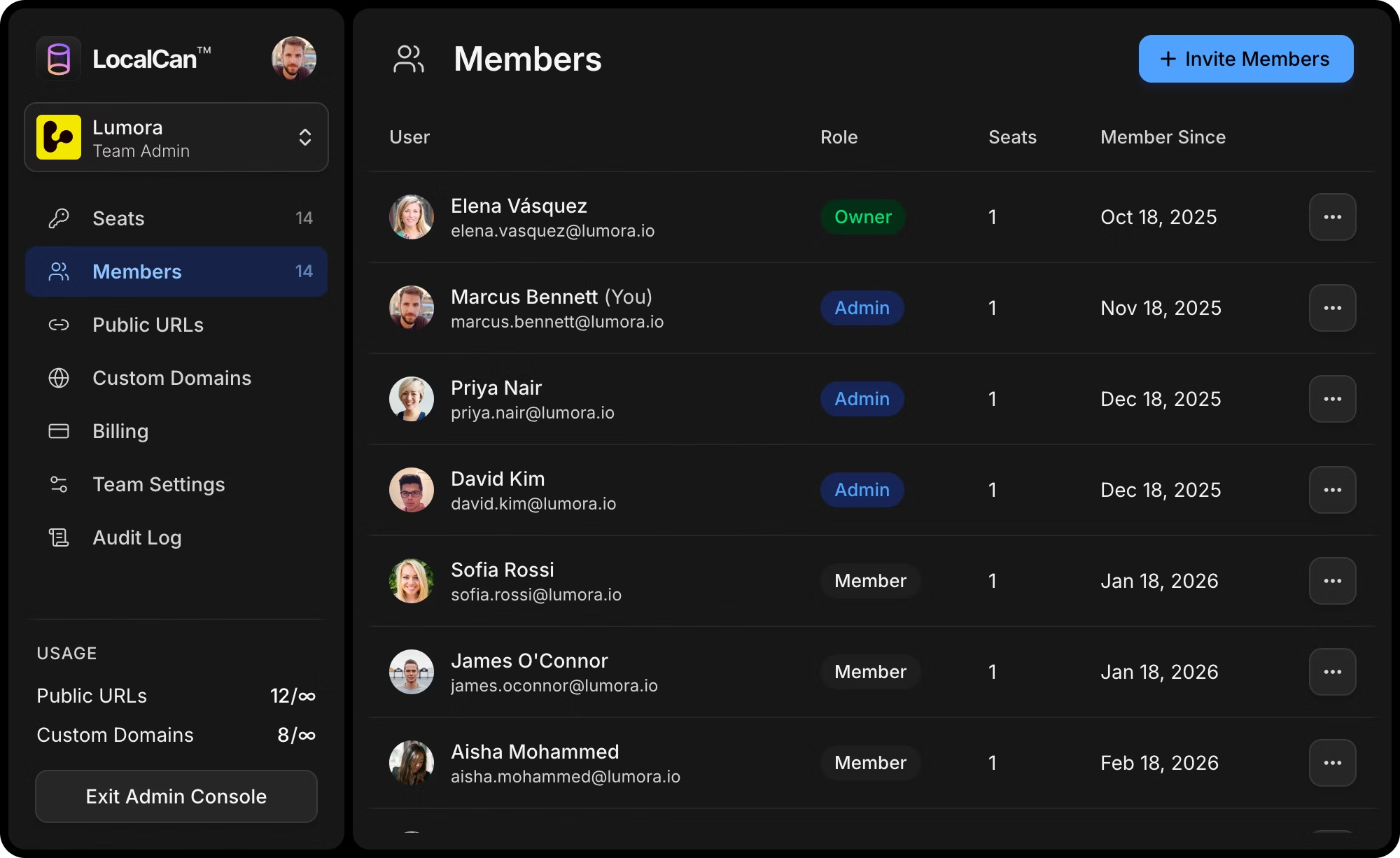
Three roles: Owner, Admin, and Member. The Owner controls billing, seats, and roles, and can invite or remove anyone. Admins can invite and remove members and assign their seats. Members use their own seat and can see the team's shared resources.
How many team members can I invite?
Each member takes one paid seat, so you can invite as many people as you have seats, and you can add seats at any time. Solo and Pro are individual plans. Teams is built for inviting the rest of the group.
How do I add or remove members and seats?
The team owner, or an admin, invites members by email from the dashboard and gives each one a seat. You can add or remove seats at any time. The bill adjusts automatically, so you only pay for the days a seat is active, and removing a seat credits your account. Removed members lose access right away.
Can we get one invoice for the whole team?
Yes. A team is a single subscription with one invoice covering every seat, billed to the workspace owner. Flat per-seat pricing keeps the total predictable.
Can I switch plans?
Yes. Upgrade or downgrade anytime from the dashboard. Upgrades take effect immediately, and downgrades take effect at your next renewal.
Company sign-in for
your team's internal tools
Put Google, Microsoft, GitHub or your own OIDC sign-in in front of Metabase, Grafana, n8n… Priced per app, not per person. See pricing
What developers say.

Danny Postma
@dannypostmaa
LocalCan is amazing ❤️

Tony Dinh 🎯
@tdinh_me
@LocalCanApp is so cool!

Jesse Sibley
@JessetheSibley
This tool is a must for any SaaS developer ✨
Replaces ngrok and now makes testing webhooks locally an absolute delight.

Web Bae
@WebIsBae
For my @webflow folks who have never heard of ngrok…
Been loving @LocalCanApp as an easy way to serve local code to my dev websites. Works with all browsers (no CORS or https errors) and you can assign a Public URL in one button click which makes it super easy to test your dev code on mobile devices.

Guilherme
@goenning
Best purchase I made this week @LocalCanApp
I tried so many alternatives and this is has been the best by far!
Working with webhooks instantly goes from 🤬 to 🤩
(not affiliated, just an amazing app!)

Fayaz Ahmed
@fayazara
Okay, @LocalCanApp is my new favourite developer tool.
I am working on a realtime feature with web app and phones, where it was mandatory for me to have https and the .local urls work so perfectly.🤌

Mikael Henriksson
@mhenrixon
I was super impressed with the ease of @LocalCanApp It made me want to give them money rather than fiddle with configuration. And because it fits my existing use of .local domains in my etc. hosts for each project.

RJ
@inthepacket
Do yourself a favour, stop messing with ngrok and just use @LocalCanApp. I’ve been using it to test some internal webhooks and it’s wonderful

Razvan Statescu
@StatescuRazvan
I just started using @LocalCanApp, and it works perfectly as an ngrok alternative. Congrats!