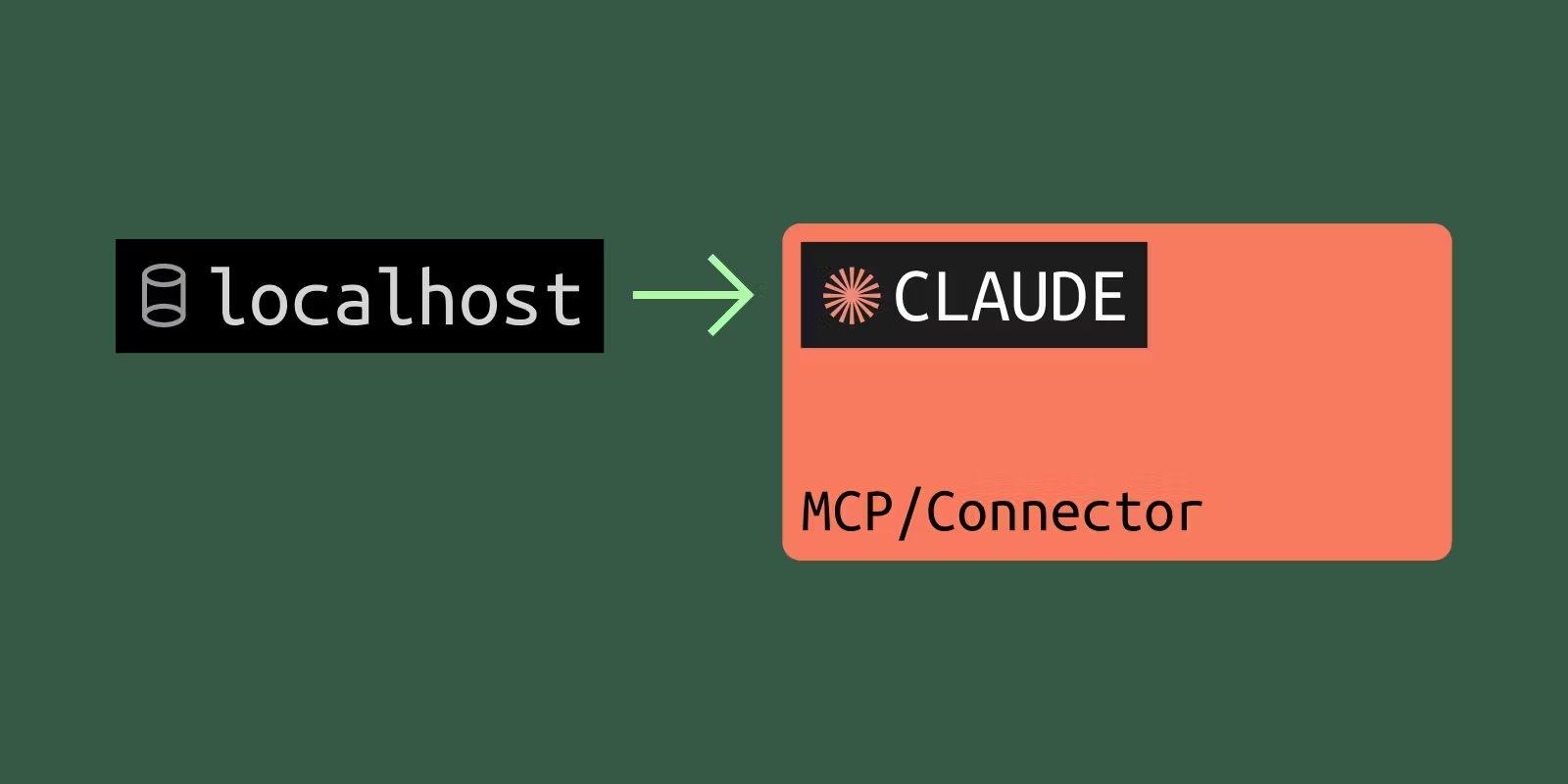

Every MCP server hits the same graduation moment. You build it, point Claude Desktop at it over stdio, and it just works. Then you want the same tools in Claude.ai on your phone, or you want to show a teammate, or you start wiring up OAuth. Suddenly stdio is not enough, and the friendly "works on my machine" story turns into connection-failed errors and docs about transports you had never heard of.
This is a working walkthrough of that crossing. By the end you will have a local MCP server reachable from Claude.ai through a public HTTPS URL, with hot reload still intact. This is the inner-loop setup for development and testing, not a production deployment. The goal is to iterate against Claude.ai as fast as you iterate against Claude Desktop, then deploy to Cloudflare, Vercel, or Railway once the server is actually ready.
Everything below was run end-to-end before publishing. The code, the commands, and the responses are real.
Why your localhost MCP server cannot reach Claude.ai
It is tempting to assume the only requirement is HTTPS. There are actually three separate walls, and knowing all three saves you an afternoon of guessing.
First, Claude.ai runs in Anthropic's cloud. When you add a custom connector, Claude reaches your MCP server from Anthropic's own IP ranges, not from your laptop. A server on localhost, behind a VPN, or inside a corporate network is simply not reachable. Anthropic's support docs are explicit that the server must be reachable over the public internet.
Second, the connector form validates the URL. Claude Desktop and Claude.ai both reject anything that does not start with https://. A plain http://localhost:8000 is refused before a single request is made.
Third, the MCP spec (revision 2025-11-25) leans on HTTPS for the OAuth discovery flow, and hosted clients reject self-signed certificates. A cert you rolled yourself for https://localhost will not satisfy Claude.ai, which is exactly why a public URL with a real, trusted certificate is the path of least resistance.
The conclusion is the same in all three cases. You need a public, trusted-cert HTTPS URL that points at your laptop. The rest of this post sets that up.
The server we are connecting
The example is a small MCP server with one tool, get_weather, that calls the free Open-Meteo API. It needs no API key, so you can run it as-is. The project structure mirrors what most TypeScript MCP servers look like in 2026.
weather-mcp/
  package.json
  src/server.ts     the tool definition (shared)
  src/stdio.ts      Wave 1 entry: Claude Desktop runs this directly
  src/http.ts       Wave 2 entry: Streamable HTTP for remote clients
The dependencies, pinned to the versions this was verified against:
{
  "type": "module",
  "dependencies": {
    "@hono/node-server": "1.19.14",
    "@modelcontextprotocol/sdk": "1.29.0",
    "hono": "4.12.23",
    "zod": "3.25.76"
  }
}
A note on the framework choice. Most MCP tutorials reach for Express, which feels dated in 2026. This uses Hono instead, which is modern, runtime-agnostic, and the framework the official SDK v2 is adding a first-party adapter for. There is one wrinkle that we will hit in Step 1, and it is worth understanding rather than copy-pasting past.
Here is the shared tool definition. The factory pattern matters, and the comment explains why.
// src/server.ts
import { McpServer } from '@modelcontextprotocol/sdk/server/mcp.js'
import { z } from 'zod'

const WEATHER_CODES: Record<number, string> = {
  0: 'clear sky', 2: 'partly cloudy', 3: 'overcast',
  61: 'slight rain', 63: 'moderate rain', 80: 'rain showers',
  // ...abridged WMO code map
}

// Build a fresh McpServer per request. The SDK forbids sharing one server
// instance across concurrent stateless requests (>= 1.26.0), so the HTTP
// entry point calls this for every POST.
export function getServer() {
  const server = new McpServer({ name: 'weather-poc', version: '1.0.0' })

  server.registerTool(
    'get_weather',
    {
      description: 'Get the current weather for a city by name.',
      inputSchema: { city: z.string().describe('City name, e.g. "Lisbon"') },
    },
    async ({ city }) => {
      // 1. Geocode the city name to lat/lon (Open-Meteo, no API key).
      const geoUrl = new URL('https://geocoding-api.open-meteo.com/v1/search')
      geoUrl.searchParams.set('name', city)
      geoUrl.searchParams.set('count', '1')
      const geo = await fetch(geoUrl).then((r) => r.json())
      const place = geo?.results?.[0]
      if (!place) {
        return { content: [{ type: 'text', text: `No match for "${city}".` }] }
      }

      // 2. Fetch current conditions for those coordinates.
      const wxUrl = new URL('https://api.open-meteo.com/v1/forecast')
      wxUrl.searchParams.set('latitude', String(place.latitude))
      wxUrl.searchParams.set('longitude', String(place.longitude))
      wxUrl.searchParams.set('current', 'temperature_2m,wind_speed_10m,weather_code')
      const wx = await fetch(wxUrl).then((r) => r.json())
      const c = wx?.current

      const label = WEATHER_CODES[c?.weather_code] ?? `code ${c?.weather_code}`
      const text =
        `Weather in ${place.name}, ${place.country}: ${label}, ` +
        `${c?.temperature_2m}°C, wind ${c?.wind_speed_10m} km/h.`

      return { content: [{ type: 'text', text }] }
    },
  )

  return server
}
Step 1: Switch from stdio to Streamable HTTP
stdio is the right transport for Claude Desktop and CLI tools. It is local only, though, so Claude.ai cannot use it. The remote transport you want is Streamable HTTP. Do not build on the older HTTP+SSE transport, which is deprecated and being removed across the ecosystem during 2026. In my October 2026 census of the official MCP Registry, 96.1% of remote servers listed only Streamable HTTP, and 2.6% still listed only SSE.
The stdio entry point is tiny. The one rule: never write to stdout, because stdout is the JSON-RPC channel. Log to stderr.
// src/stdio.ts
import { StdioServerTransport } from '@modelcontextprotocol/sdk/server/stdio.js'
import { getServer } from './server.js'

const server = getServer()
await server.connect(new StdioServerTransport())
The HTTP entry point is where Hono meets the SDK. The SDK's StreamableHTTPServerTransport writes directly to the raw Node response object, while Hono works with the Fetch-style request and response. The bridge is to grab the underlying Node handles that @hono/node-server exposes and tell Hono the response was already sent. Miss this and Hono double-handles the response.
// src/http.ts
import { serve } from '@hono/node-server'
import { RESPONSE_ALREADY_SENT } from '@hono/node-server/utils/response'
import { StreamableHTTPServerTransport } from '@modelcontextprotocol/sdk/server/streamableHttp.js'
import { Hono } from 'hono'
import { getServer } from './server.js'

const app = new Hono()

app.post('/mcp', async (c) => {
  // Fresh server + transport per request: stateless Streamable HTTP.
  const server = getServer()
  const transport = new StreamableHTTPServerTransport({
    sessionIdGenerator: undefined,
    enableJsonResponse: true,
  })

  const { incoming, outgoing } = c.env
  outgoing.on('close', () => transport.close())

  await server.connect(transport)
  await transport.handleRequest(incoming, outgoing, await c.req.json())
  return RESPONSE_ALREADY_SENT
})

serve({ fetch: app.fetch, port: 8765 }, (info) => {
  // stderr, not stdout, to match the stdio server's logging rule.
  console.error(`listening on http://127.0.0.1:${info.port}/mcp`)
})
Two details that bite people, both confirmed against the pinned versions above:
The per-request getServer() call is not optional. Since SDK 1.26.0, sharing one McpServer across stateless requests throws at runtime and can leak one client's response to another. Any tutorial older than early 2026 that declares the server once at module scope is now wrong.
The RESPONSE_ALREADY_SENT return value is the Hono-specific piece. It is exported from @hono/node-server/utils/response.
Start it and confirm it boots:
npx tsx src/http.ts
# listening on http://127.0.0.1:8765/mcp
A quick local sanity check before going public. Streamable HTTP requires the Accept header to list both JSON and the event-stream type:
curl -s -X POST http://127.0.0.1:8765/mcp \
  -H 'Content-Type: application/json' \
  -H 'Accept: application/json, text/event-stream' \
  -d '{"jsonrpc":"2.0","id":1,"method":"initialize","params":{"protocolVersion":"2025-06-18","capabilities":{},"clientInfo":{"name":"curl","version":"1.0"}}}'
You should get a clean JSON response naming your server:
{"result":{"protocolVersion":"2025-06-18","capabilities":{"tools":{"listChanged":true}},"serverInfo":{"name":"weather-poc","version":"1.0.0"}},"jsonrpc":"2.0","id":1}
Step 2: Get a public HTTPS URL pointing at your laptop
Now expose the local server with a public URL (also called a tunnel). With LocalCan running, one command points a public HTTPS address at port 8765:
localcan http 8765
Connecting tunnel to http://localhost:8765...
Forwarding https://amber-star-70.localcan.dev -> localhost:8765

Requests (Ctrl+C to stop):
That https://amber-star-70.localcan.dev address is public, internet-reachable, and comes with a real trusted certificate. No cert flags, no warnings, nothing to configure. This is the piece Claude.ai needs.
Why a public URL rather than something simpler. A .local address from mDNS works for clients on your own network, but Claude.ai is a hosted web app reaching in from Anthropic's cloud, and it cannot resolve .local names. The address has to be public.
One thing to plan for when you move on to OAuth. The callback URL Claude registers must stay constant between runs. Free tunneling tools that hand you a new random subdomain on every restart force you to re-register that callback each time, which is a genuine time sink. Pinning a stable hostname to your server avoids it. We come back to this in Step 6.
Step 3: Verify the public endpoint before touching Claude
Debug locally first so that when something fails in Claude.ai you already know the server is not the problem. Run the same initialize call against the public URL, this time with no -k flag because the certificate is real:
curl -s -X POST https://amber-star-70.localcan.dev/mcp \
  -H 'Content-Type: application/json' \
  -H 'Accept: application/json, text/event-stream' \
  -d '{"jsonrpc":"2.0","id":1,"method":"initialize","params":{"protocolVersion":"2025-06-18","capabilities":{},"clientInfo":{"name":"curl","version":"1.0"}}}'
Then exercise the actual tool through the public URL with a real tools/call:
curl -s -X POST https://amber-star-70.localcan.dev/mcp \
  -H 'Content-Type: application/json' \
  -H 'Accept: application/json, text/event-stream' \
  -d '{"jsonrpc":"2.0","id":2,"method":"tools/call","params":{"name":"get_weather","arguments":{"city":"Tokyo"}}}'
{"result":{"content":[{"type":"text","text":"Weather in Tokyo, Japan: light drizzle, 19.2°C, wind 4.7 km/h."}]},"jsonrpc":"2.0","id":2}
The MCP request crossed the public internet, hit your laptop, called Open-Meteo, and came back. The LocalCan request log shows the hit:
12:12:47 POST 200 /mcp
For an interactive view, the MCP Inspector points a UI at any server and lists or calls tools. Pin version 0.14.1 or newer, because earlier versions had a remote-code-execution vulnerability (CVE-2025-49596) on the developer's machine.
npx @modelcontextprotocol/inspector@latest --cli \
  https://amber-star-70.localcan.dev/mcp --method tools/list
If the Inspector can list and call your tools, Claude will too in nearly every case.
Step 4: Add the connector in Claude Desktop
Claude Desktop and Claude.ai share the same connector backend, but Desktop surfaces errors faster, so add it there first.
Open Settings, then Connectors, then Add custom connector, and paste the public URL with the /mcp path:
https://amber-star-70.localcan.dev/mcp
You are looking for the connector to show as connected and for get_weather to appear in the tools picker. Ask Claude something like "what is the weather in Lisbon" and watch it call the tool. If it fails, check the LocalCan request log: if there is no POST /mcp line, the request never reached you, which points at the URL or the connector config rather than your code.
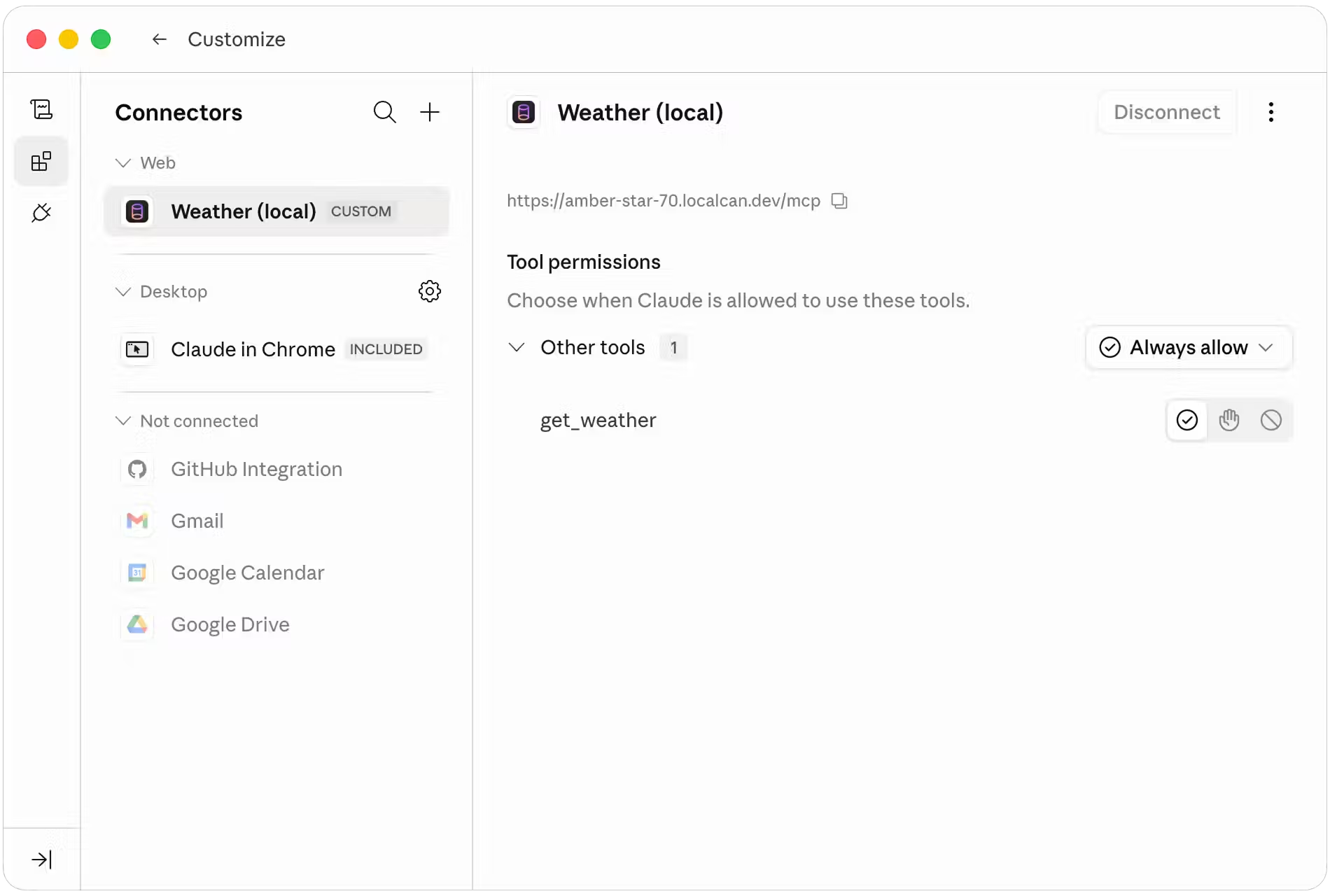
One thing to know if your tool overlaps a built-in Claude capability, as a weather tool does. Claude may answer from its own weather feature instead of calling your connector. If that happens, name the connector in the prompt, for example "use the Weather (local) connector", and Claude will route to your tool.
Step 5: Add the same connector in Claude.ai
Repeat the exact flow in the Claude.ai web app: Settings, Connectors, Add custom connector, same URL.
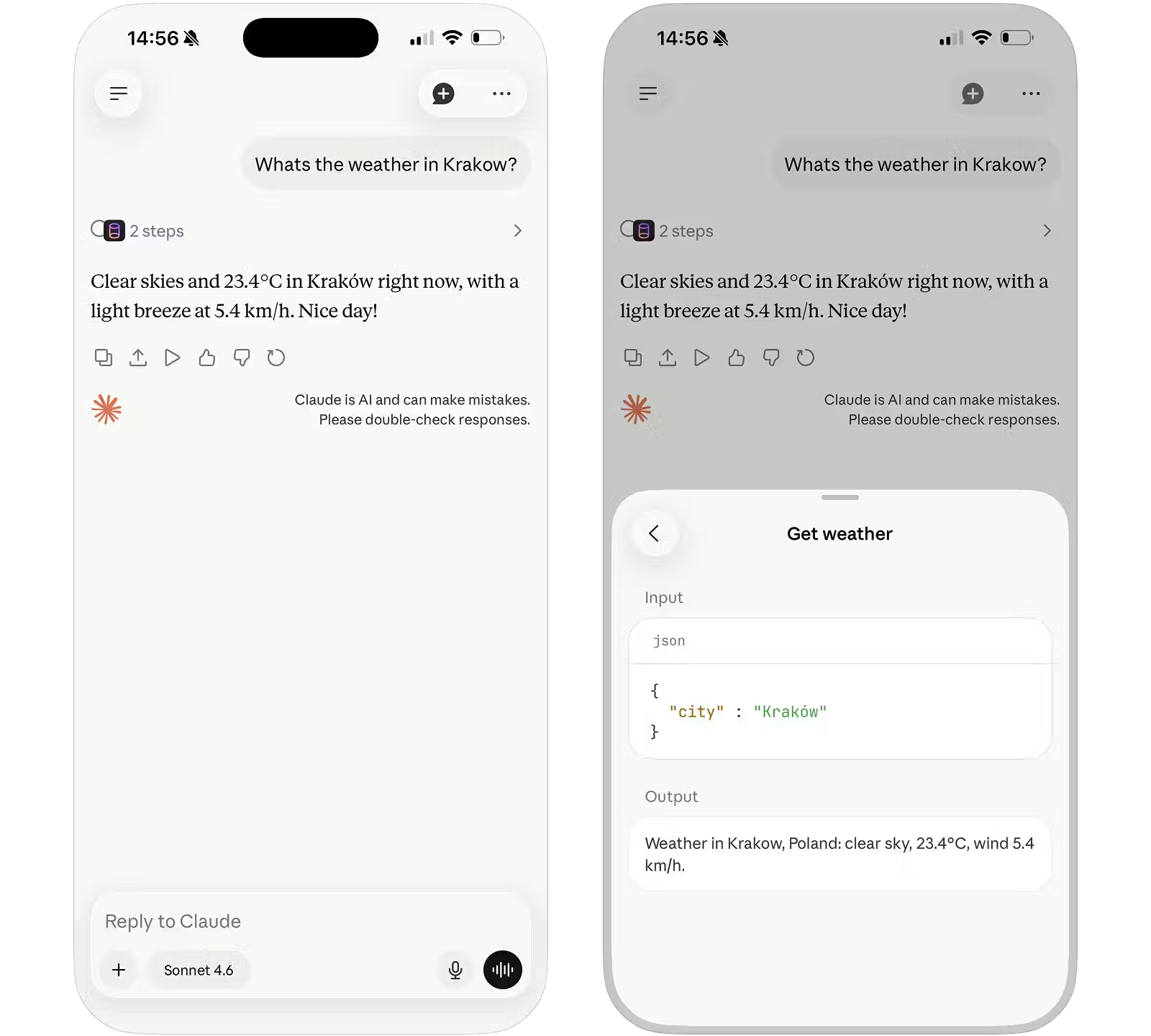
This is the payoff the title promised. The server is still running on your laptop, the code is still hot-reloading, and yet the tools now work from a browser tab, including on your phone, on a different network entirely. Open the Claude app on your iPhone and ask for the weather in Kraków. The call travels from Anthropic's cloud, down your public URL, into the process on your desk.
Step 6: What changes when you add OAuth
Most real MCP servers eventually need OAuth so that each user authenticates rather than sharing one set of credentials. That is a post of its own, but here is what changes, and why the stable hostname from Step 2 starts to matter a lot.
Claude needs its callback URLs allow-listed. It uses two domains, https://claude.ai/api/mcp/auth_callback and https://claude.com/api/mcp/auth_callback, and missing one of them is a common cause of a stuck flow.
Your OAuth discovery document at /.well-known/oauth-protected-resource has to live on the same public hostname Claude is talking to, so it must be reachable from Anthropic's cloud over HTTPS.
The hostname has to stay identical between the moment you register the OAuth client and every later run. This is the concrete reason a stable, named URL beats a tunnel that reshuffles its subdomain on each restart. Re-registering callbacks every time you restart the server is exactly the friction you are trying to avoid.
Two caveats worth knowing before you spend an afternoon on this:
If your Claude account is on a managed Team or Enterprise workspace, an admin policy can block custom connectors entirely, regardless of the URL. If the Add custom connector option is missing or greyed out, test on a personal account.
Some upstream identity providers, Google in particular, refuse to issue tokens to a redirect URI on an unverified domain, which rules out shared tunnel subdomains. For serious OAuth work you want a tunnel that lets you bring your own verified custom domain.
Gotchas worth naming
These are the failures most likely to cost you time, each with the one-line fix.
Claude says it cannot reach the server, but the LocalCan request log shows nothing. The request never arrived. Re-check the URL including the /mcp suffix, and confirm the connector saved the address you expect.
The server returns 403 on every request. The 2025-11-25 spec mandates an Origin check. Make sure your server allows the hosted client's origin rather than rejecting it.
The server throws on the second request. That is the SDK 1.26.0 change. Instantiate the server per request inside getServer(), never once at module scope.
The tools list is empty in Claude but works in the Inspector. Check tool naming. The spec tightened the canonical tool-name format, and an old SDK can emit names the client drops.
Your own console.log corrupts the stream on the stdio server. stdout is the protocol. Log to stderr.
A self-signed certificate works in curl -k but fails in Claude. Hosted clients require a real trusted certificate. A public URL gives you one automatically, so do not hand-roll certs for this.
When to graduate off the tunnel
The public URL is the development loop, not the destination. Tunneling beats deploying to staging by one to two orders of magnitude on iteration speed, because a code change is live in under a second instead of waiting on a deploy. That advantage only matters while you are iterating.
Move to a real deployment once any of these is true. You have real users who need uptime when your laptop is closed. You are done iterating on the tool surface and the OAuth flow. You need horizontal scale or an SLA. At that point the common targets are Cloudflare Workers with Durable Objects, which is where Linear, Atlassian, and Stripe run their MCP servers, or Vercel, Railway, or Fly. The only thing that changes about the URL is that it now points at deployed infrastructure instead of your desk.
Wrap
You took a stdio MCP server, switched it to Streamable HTTP, gave it a public trusted-cert URL, verified the full flow with curl and the Inspector, and connected it to both Claude Desktop and Claude.ai. The loop is now as fast as local development, and the same server answers a phone on another network.
The natural next step is OAuth 2.1, where the stable hostname stops being a convenience and becomes a requirement. That is the next post in this series.