The Cloudflare Tunnel alternative for development teams
Both put localhost on the internet, but they are built for different jobs. Cloudflare Tunnel is production infrastructure you operate. LocalCan is a developer tool your whole team can self-serve, set up in about a minute.
The short version
We will save you the scroll. Here is who each tool is really for.
Use Cloudflare Tunnel if…
You are exposing a production service, self-hosting, or setting up Zero Trust access, and your domain already lives on Cloudflare. It is free and production-grade for that job.
Use LocalCan if…
Best for TeamsYour team tests webhooks, shares previews, and debugs integrations every day. LocalCan is built for that loop, sets up in a minute, and every developer self-serves it.
Are you running infrastructure, or building a product?
Cloudflare Tunnel is plumbing. You bring a domain onto Cloudflare DNS, install the cloudflared daemon, and define hostname mappings before traffic routes through the edge. It is excellent for putting a production service online, but there is no desktop app and no built-in inspector.
LocalCan is the dev loop. Install the app, point it at a port, and get a stable URL in about a minute, with no DNS migration and no daemon config. Every request lands in a built-in inspector you can read and replay, and the whole team can use it.
Cloudflare Tunnel is where you put things that are done. LocalCan is where your team builds the things that aren't.
{
  "id": 123,
  "name": "Ada Lovelace",
  "active": true
}
Side by side
Where each tool wins. Two rows favour Cloudflare Tunnel and we leave them that way: it is free, and its edge and DDoS protection are larger-scale with an app-layer WAF.
| LocalCan | Cloudflare Tunnel | |
|---|---|---|
| Built for | A team's day-to-day dev loop | Production exposure and Zero Trust access |
| Time to first stable URL | ~1 min, from a desktop app | ~10 min: account + domain on Cloudflare DNS + daemon |
| Interface | Desktop GUI + CLI | CLI / config + dashboard (no dev GUI) |
| Zero-config URL | Auto-generated name-1234.localcan.dev, no domain needed | Quick-tunnel URL that rotates each restart, test-only |
| Stable custom domain | Your own domain, no DNS migration | Requires a domain on Cloudflare DNS |
| Request inspector + replay | Built in | Not built in (use analytics / logs) |
| Protocols | HTTP/S + TCP | HTTP/S public; no public UDP, public TCP constrained |
| Team model | Per-seat self-serve, roles, shared domains | Provisioned centrally against your account and DNS |
| Keeps dev off production DNS | Yes, dev stays separate | No, tied to your Cloudflare account and DNS |
| Global edge + DDoS | Global edge + automatic network-layer DDoS | Larger edge + DDoS, plus app-layer / WAF |
| Price | Flat per seat | Free |
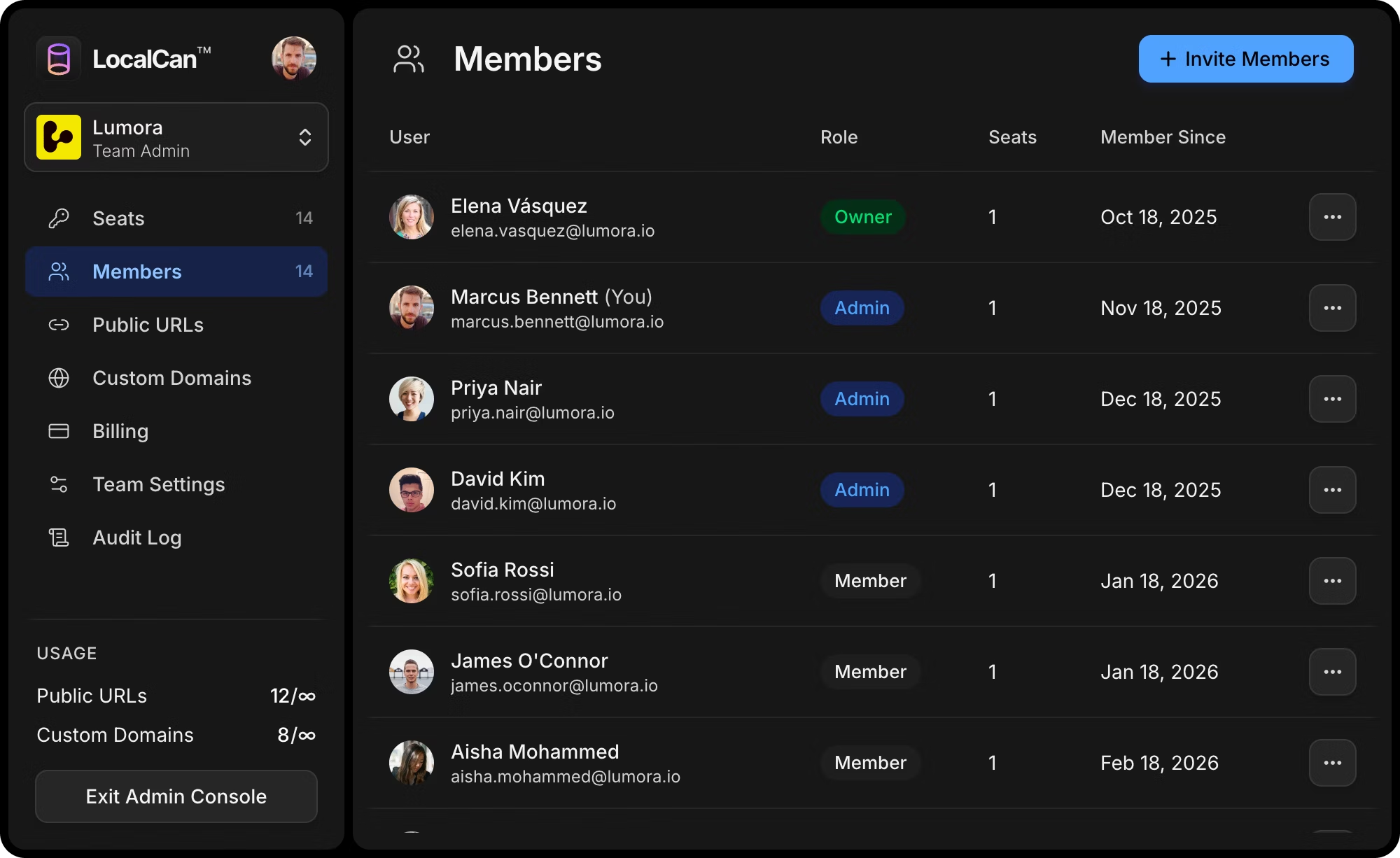
Every developer, not just whoever owns the account. A tunnel the whole team self-serves, never an infrastructure ticket.
Free 14-day trial included.
No credit card required.
With Cloudflare Tunnel a tunnel is infrastructure, provisioned against your account and DNS, so the person who owns that account sets it up. Letting every developer do it themselves means handing out keys to where production lives. Your QA, designer, and PM will not install a daemon to preview a build.
With LocalCan a tunnel is something each developer just has, self-served from the app, on shared team domains, with roles and seat management for whoever administers it. None of it touches the DNS or account that runs production. The whole team gets there; production stays walled off.
When to choose each
Choose Cloudflare Tunnel
- Exposing a production service or self-hosting, for free
- Your domain is already on Cloudflare DNS
- You want app-layer DDoS, a WAF, and a huge global edge at no cost
- You are building Zero Trust access and can operate the infrastructure
If that is you, it is hard to beat, and we would point you to it.
Choose LocalCan
Best for Teams- Your team develops daily: webhooks, OAuth, previews, integrations
- You want to inspect and replay the real requests hitting your endpoint
- You want every developer to self-serve, terminal or not
- You want stable domains without migrating DNS, dev kept off production
- You would rather it work in a minute than spend the afternoon on config