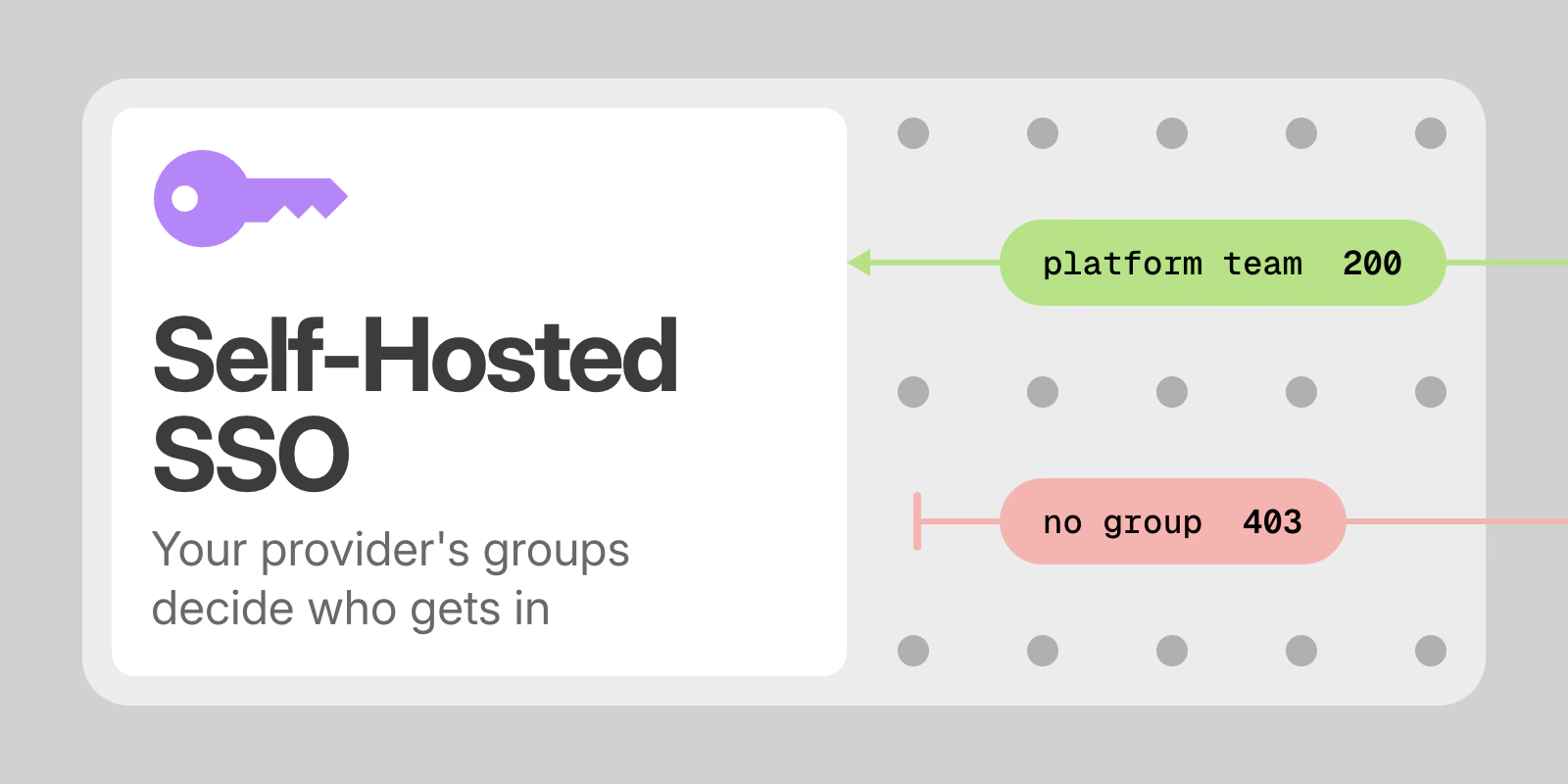

Self-hosted SSO means running your own identity provider, such as Authentik or Keycloak, so your team signs in with accounts you control and one sign-in covers many apps. The provider is half the job. Each app also has to accept it, and only apps that speak a sign-in protocol such as OIDC or SAML can connect to it directly. For the rest, including apps whose own SSO sits in a paid edition, something has to stand in front and check sign-in: an auth proxy you run yourself, or a hosted gate that signs people in with your provider. In the test run further down, Authentik had no group policy on the application, so it signed in a user outside the group the app allowed, and LocalCan Access stopped that user before the app received a single request.
What does self-hosted SSO take?
It takes two parts. The identity provider holds the accounts, the groups and the sign-in page, with its password rules and two-factor sign-in. The second part is per app: something that sends people to the provider and lets in only the ones who come back signed in.
Which route fits depends on the app:
| The app | Route |
|---|---|
| Has OIDC or SAML sign-in in the edition you run | 1: connect it to your provider directly |
| Has no SSO, or SSO only in a paid edition | 2: a self-run auth proxy, or 3: a hosted gate |
| Is your own code | Any of the three. Route 1 means adding an OIDC library, routes 2 and 3 hand it the person in a header |
Self-hosted n8n is one example. It includes SAML on its Business plan and OIDC on Enterprise, and its Community edition has neither, as n8n SSO behind company sign-in walks through.
The routes mix: route 1 for every app that speaks OIDC, and route 2 or 3 for the rest, with the same provider behind all of them.
Which identity provider can you run yourself?
These are open-source identity providers that you host. Each description quotes or follows the project's own docs as of November 2026:
- Authentik↗: an identity provider with OAuth2/OpenID, SAML, LDAP and a proxy mode. Its OAuth2 provider↗ gives each application its own issuer, such as
https://authentik.company/application/o/<application_slug>/. - Keycloak↗: identity and access management that "is based on standard protocols and provides support for OpenID Connect, OAuth 2.0, and SAML."
- Authelia↗: "an open-source authentication and authorization server and portal" that "acts as a companion for common reverse proxies." Its roadmap↗ says of its OpenID Connect provider: "We have decided to implement OAuth 2.0 and OpenID Connect 1.0 as a beta feature."
- Zitadel↗: "the Identity Infrastructure for Developers", with single sign-on over OIDC, SAML and OAuth2, and a self-hosted deployment↗.
- Kanidm↗: "an identity management server, acting as an authority on account information, authentication and authorisation", which is also an OAuth2 and OpenID Connect provider↗ for other apps.
For an app that speaks OIDC, route 1 is the whole job: register the app as a client in the provider, give the app the issuer, client ID and client secret, and register the app's redirect URI in the provider. People sign in once at the provider, and each app trusts what the provider tells it.
How does a self-run auth proxy cover apps without SSO?
A self-run auth proxy uses forward auth. Your reverse proxy asks an auth server about each request before passing it on, and the auth server answers yes or no from the person's session. When the answer is yes, the proxy forwards the request to the app with headers that name the person:
| Tool | How the proxy asks | Headers the app gets |
|---|---|---|
| Authelia↗ | Its authz endpoints answer 200 to allow and 403 to deny | Remote-User, Remote-Groups, Remote-Email, Remote-Name |
| oauth2-proxy↗ | As the proxy itself, or behind nginx auth_request on its /oauth2/auth endpoint↗ | As the proxy: X-Forwarded-User, X-Forwarded-Groups, X-Forwarded-Email, X-Forwarded-Preferred-Username. Behind nginx, with --set-xauthrequest: X-Auth-Request-* response headers for nginx to pass on |
| Authentik's proxy provider↗ | As a proxy, or forward auth for one app or a whole domain | X-authentik-username, X-authentik-groups, X-authentik-email, X-authentik-name, X-authentik-uid |
Authentik's docs say its proxy provider "protects applications that do not support native authentication protocols such as OIDC, SAML, or LDAP", which is the job of this route.
All three are open source with no licence cost, and you control every part. In exchange you run a reverse proxy with TLS certificates and DNS for each app, plus the auth server, and you keep each app's own port closed to everything but the proxy. The identity headers are only as trustworthy as two things: the proxy drops any copy a client sends, and nothing reaches the app except through the proxy. Authelia's docs put the first one plainly: "your proxy must ensure only Authelia is setting these headers" (trusted header SSO↗).
What does a hosted gate change?
LocalCan Access is a hosted gate in front of web apps on your own server. A small connector next to the app holds the only connection to LocalCan, and one CNAME record points the app's hostname at LocalCan. Everyone who opens the hostname signs in first, and only the people your rules allow get through. The connector runs on Linux, with Docker, Docker Compose or systemd (quick start). As in route 2, close every other way to reach the app from the internet, such as a published port (close the other ways in).
For self-hosted SSO, the part that matters is the sign-in method. Besides Google, Microsoft and GitHub, Access signs people in with your own identity provider over OIDC, and the docs name Keycloak and Authentik as examples (sign-in methods). Your provider stays the one place where accounts and groups live, and an app rule can allow a group your provider sends. Any provider that speaks OIDC with the authorization code flow and a client secret fits the same way. Grafana and apps that check Access's signed identity header sign people in from it. Metabase, n8n and Umami keep their own login behind LocalCan Access, and only the people your rules allow reach it.
LocalCan Access is in Preview and priced per app, not per person: $29 a month for 3 apps, $69 for 10 and $149 for 30, with unlimited viewers under fair use (pricing). Adding your own provider needs LocalCan Access on the team, which the team owner adds under Billing (before you start). You can set up the apps, the connector and the CNAME before that. Up to three apps wait, letting nobody in, until the team has it.
What does each route make you run and expose?
| Route 1: provider only | Route 2: self-run auth proxy | Route 3: hosted gate | |
|---|---|---|---|
| You run | The provider, and TLS for each app | The provider, the auth server, a reverse proxy with TLS | The provider, one connector per server |
| Reachable from the internet | The provider's sign-in pages, and each app with its own login page | The provider's sign-in pages and your reverse proxy | The provider's sign-in pages and the endpoints LocalCan calls. LocalCan answers for the apps' hostnames |
| Apps it covers | Apps that speak OIDC or SAML | Any web app behind the proxy | Any web app the connector reaches |
| Group checked before the app gets a request | Yes, with a policy on the application in your provider | Yes, with the auth server's group rules, such as Authelia's group: subjects↗ or oauth2-proxy's --allowed-group↗ | Yes, by the app's rules. A new app lets nobody in until it has one |
| Signs people in to the app itself | Yes | Apps that read the proxy's headers. Others keep their own login | Grafana and apps that check the signed header. Others, such as Metabase, n8n and Umami, keep their own login |
| Licence cost | None | None | Per app, from $29 a month (Preview) |
The provider's sign-in pages are reachable in every route, because people who sign in from outside your network have to open them.
Why does the provider have to be reachable from the internet?
LocalCan's servers talk to it, and the docs say: "Your provider must be reachable from the internet: LocalCan refuses to call private network addresses." LocalCan reads the provider's discovery document when you add the connection and again when you reload it from the connection's menu, calls the token endpoint at each sign-in, and calls userinfo only when the ID token lacks the email or the groups. The ID token comes straight from your provider's token endpoint over TLS, so LocalCan checks its claims without fetching signing keys, as OIDC Core 3.1.3.7↗ allows.
People's browsers open the provider's sign-in page too, so a provider your team already uses from outside the office needs nothing new. A provider that only answers on your LAN needs a public HTTPS address before LocalCan can use it.
What happens when someone outside the group signs in?
I ran this on November 25, 2026 with Authentik 2026.8.6↗, the latest release, from Authentik's Docker Compose file, on a test setup where Authentik had a temporary public address and the app was a small test app that echoes what it receives. Authentik had two test users, Dana in the group "Platform Team" and Lee in no group, and the app allowed only that group. The commands and numbers come from my own runs.
Lee signed in at Authentik with a correct password and got LocalCan's "No access" page with a 403. The app received no request from Lee at all. The team's access log recorded the refusal with its reason and the sign-in method.
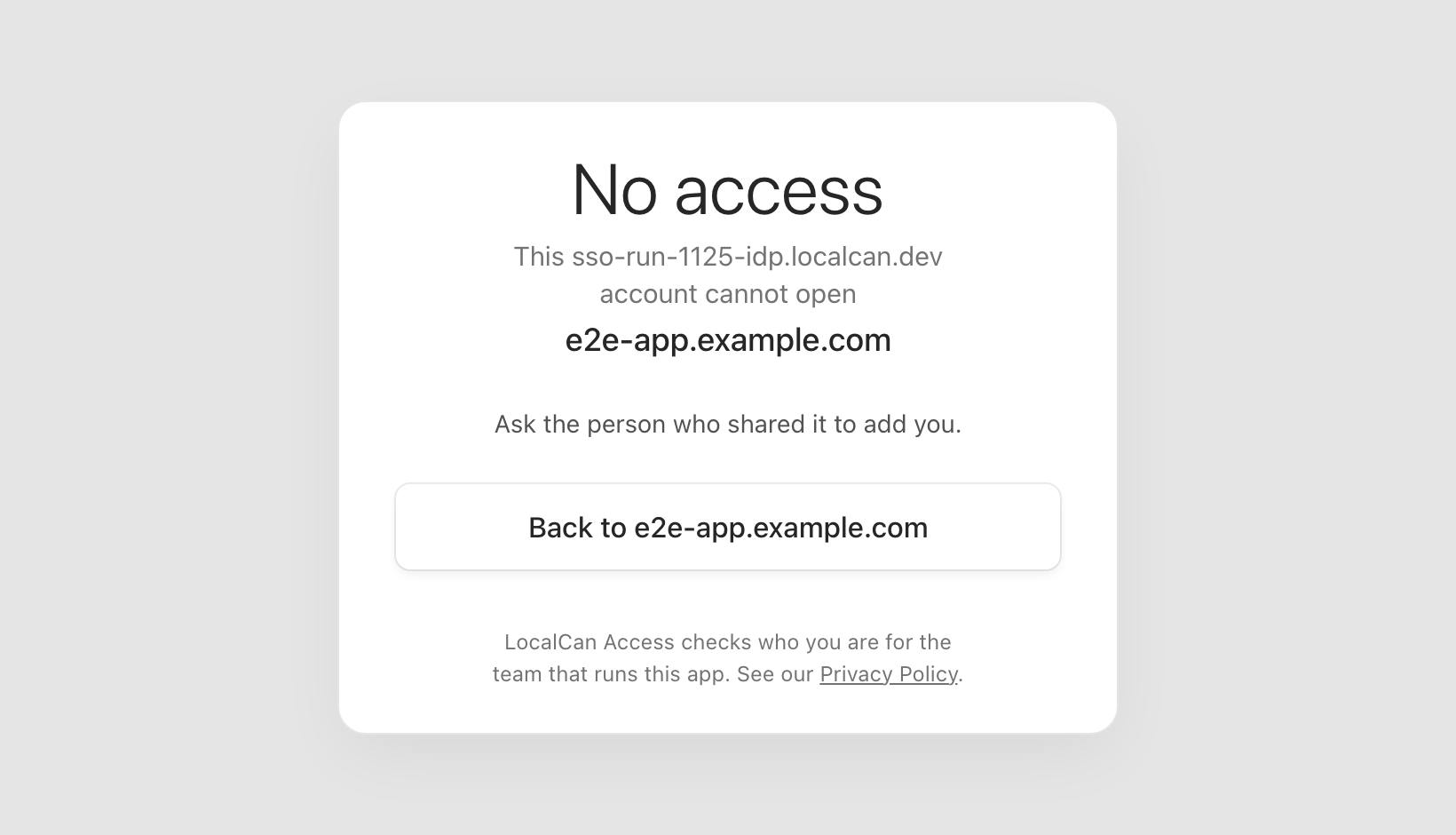
Authentik itself let Lee through and sent Lee back with a valid sign-in, because nothing in Authentik limited the application to a group. An app connected to Authentik directly would have received Lee as a signed-in user, so it would need its own group check or a policy in Authentik. Behind Access, the group check runs before anything reaches the app.
How do you connect Authentik to LocalCan Access?
These are the steps from that run. Settings a step doesn't name stayed at Authentik's defaults. I added the connection and set the app's rules with an internal admin script that calls the same services as the dashboard, so the steps give the dashboard's labels.
1. Create the provider in Authentik. Add an OAuth2/OpenID provider and an application for it. The provider needs:
- Client type: Confidential.
- Authorization flow: the run used Authentik's implicit-consent flow, so Authentik showed no consent screen of its own.
- Signing key: Authentik's self-signed certificate.
- Grant types: Authorization Code, which the admin form selects by default.
- Scopes: Authentik's default
openid,emailandprofilemappings. Theprofilemapping "returns the user's group names in thegroupsclaim" (property mappings↗). - Redirect URI: LocalCan's, from step 3. Set it to strict matching.
2. Add Authentik to LocalCan Access. This step needs LocalCan Access on the team, as above. In the dashboard, open LocalCan Access → Sign-in methods → Your identity provider (OIDC) and select Add OIDC connection:
| Field | Value |
|---|---|
| Issuer URL | https://auth.example.com/application/o/<application_slug>/, with the trailing slash |
| Client ID and Client secret | From Authentik's provider |
| Groups claim | groups |
The trailing slash matters. LocalCan requires the issuer to match Authentik's discovery document exactly, and Authentik's ends in a slash. Without it, LocalCan refuses the connection and names the exact value:
The discovery document names the issuer "https://sso-run-1125-idp.localcan.dev/application/o/team-apps/", not "https://sso-run-1125-idp.localcan.dev/application/o/team-apps". Use its exact value.
3. Register LocalCan's redirect URI in Authentik. The dashboard shows it once, after you add the connection.
4. Test the connection. Select Test on the connection and sign in once. The test page shows you, and only you, the email that counts, the name and the groups, and LocalCan records which claims arrived, never their values (your own identity provider):
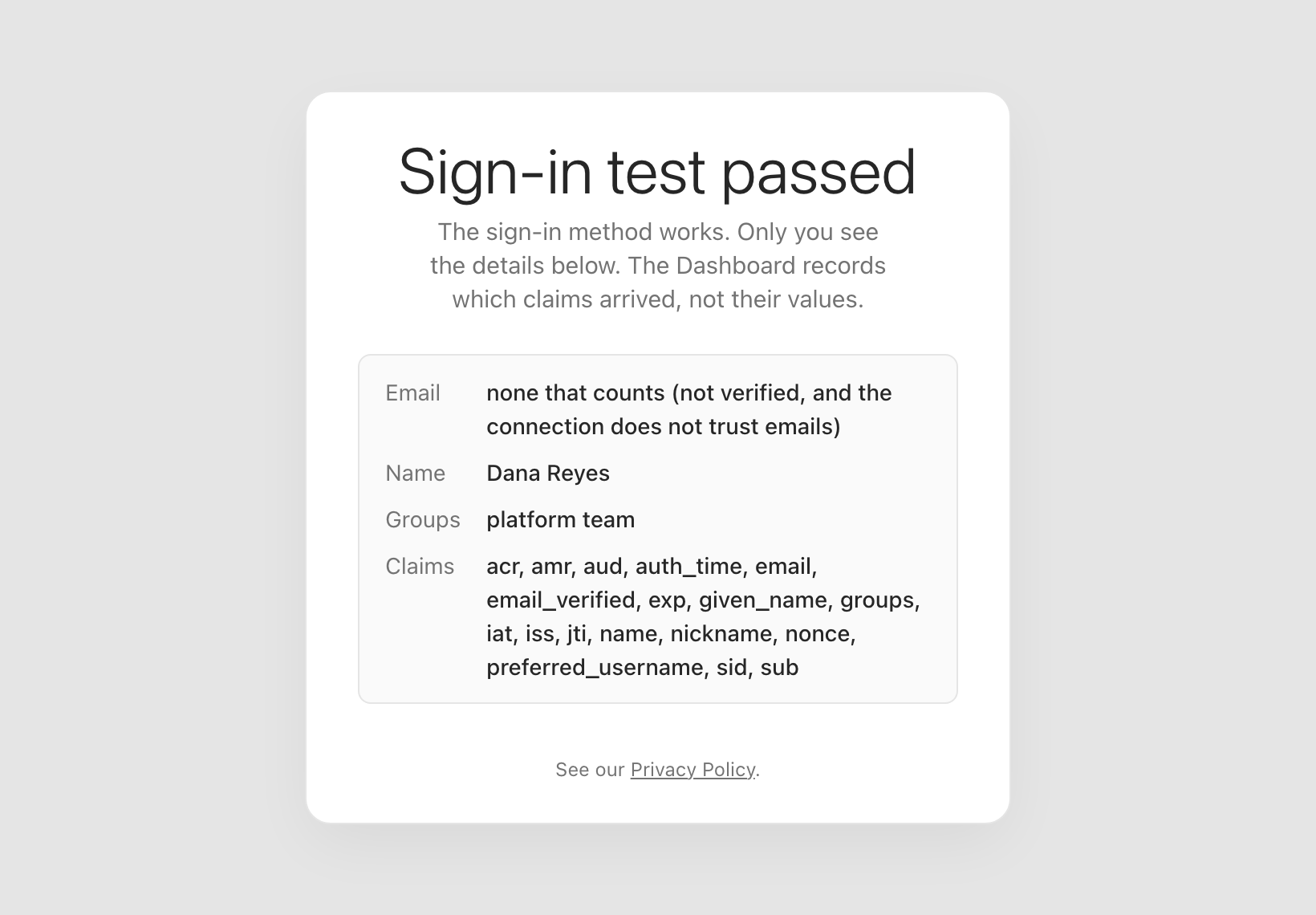
The record kept for the dashboard from that test:
  "groups_count": 1,
  "email_present": true,
  "email_verified": false
The test page catches both Authentik settings before anyone signs in to an app: the group arrives as platform team, and the email doesn't count yet.
5. Put the app behind Access with the quick start: add the app, run the connector next to it, add the CNAME. A new app lets nobody in until it has a rule.
6. Allow the group on the app. Under the app's Who may sign in, choose the Authentik connection as the sign-in method and add a group rule. Group names are compared in lowercase, and the docs say to "use the name exactly as your provider sends it, spaces included" (rules). Authentik sends the group's name, not a slug, so "Platform Team" arrives as platform team. Copy it from the test page's Groups line. In an earlier run that morning, a rule for platform-team let nobody in, Dana included.
When people open the app's address, LocalCan sends them straight to Authentik and back to the app, since the app has one sign-in method.
With the group rule platform team, Dana signed in at Authentik's page and landed on the app. The app got one request, with a signed identity header that verified, and this is the person it named:
  "viewer": {
    "iss": "http://localhost:3000/access/t/team_vFy2ZnKpDaxh",
    "aud": "app_3FtR2mgOdP8i",
    "sub": "d994b5b3-e7bf-468b-a0ce-db8f453b4106",
    "sid": "bb1acd6e-7d4d-4262-8b53-9f66d9101ea3",
    "jti": "GKFpbN7xm11l-eqH_ID--w",
    "iat": 1795608942,
    "nbf": 1795608912,
    "exp": 1795609542,
    "idp": "oidc:idp_LMMIcPhg8UXs",
    "name": "Dana Reyes",
    "groups": [
      "platform team"
    ]
  }
The issuer is the test setup's, and in production it is https://access.localcan.com/t/ followed by your team's ID. There is no email claim, because Authentik marked the address unverified. People who sign in through your own provider see no LocalCan consent page, and the implicit-consent flow from step 1 skips Authentik's own, so nothing came between Authentik's sign-in page and the app.
Why didn't Authentik's email address count?
Since Authentik 2025.10, its default email mapping returns email_verified: false, "because an email address alone does not prove that the user controls it" (verify email addresses↗). LocalCan counts an address from your own provider only when the provider marks it verified, or when the connection trusts every email, and its docs name Authentik among the providers that "mark addresses as not verified by default" (your own identity provider). With Authentik's defaults, group rules work and email rules don't: in the test run, an app rule allowing dana@example.com refused Dana with the same "No access" page.
If you want email rules or an email in the identity header, there are two fixes, and both passed in the same run.
On LocalCan's side, turn on Trust every email this provider sends, verified or not when you add the connection. With it, the rule for dana@example.com let Dana in, and the token carried "email": "dana@example.com" and "email_verified": true.
On Authentik's side, replace the default email mapping on the provider with a custom scope mapping. Authentik's docs give this one for when "another process verifies every user's current email address":
return {
    "email": request.user.email,
    "email_verified": True,
}
With it, the connection test recorded "email_verified": true on a connection that doesn't trust emails.
Both say every address in your Authentik is verified. Authentik's docs warn: "Do not use it if an address can be unverified or changed without verification." Use either only when your admins set the addresses and people can't change them unverified. Authentik's docs also describe an email stage that verifies addresses, for when people can.
Which headers can the app trust?
Behind Access, the app gets the person in one header, LC-Access-Jwt-Assertion: a short-lived JWT signed with your team's key, which the app checks against your team's public keys in a few lines (identity header). LocalCan removes every LC-Access-* header a client sends, so the one the app reads is LocalCan's. What the app gets after sign-in decodes a real one and shows a forged one being dropped.
LocalCan doesn't set or remove the identity headers other sign-in proxies use, such as Remote-User and X-Auth-Request-* (identity header). If an app still trusts one of them from an earlier setup, turn that setting off, since any visitor can send the header. Sign people in only from the signed header, after checking it.
Grafana sign-in with a company account shows an app signing people in from the header. For apps that keep their own login, connecting the app to the same provider by route 1 as well, where its edition allows it, gives both steps the same account.
What about webhooks, scripts and API clients?
Every gate, self-run or hosted, stops clients that can't sign in in a browser. Access has two ways through:
- Public paths answer without sign-in, for webhooks, form endpoints and tracker scripts. The app's own check is then the only one on those paths.
- Service tokens let scripts, scheduled jobs and coding agents through with two headers of their own, which LocalCan removes before the request reaches the app.
A client that can do neither, such as a mobile app that can't send custom headers, reaches only the public paths.
What does LocalCan see, and what if it is down?
LocalCan's servers end HTTPS for the app's hostname, since they hold its certificate. They see each request in plaintext, pass it to the connector and stream the response back without keeping it. They log one line per request, with the method, host, path, the names of query parameters but not their values, the status, the duration and the visitor's IP address. A sign-in, a sign-out, a refused request or a service-token call adds a line with the outcome, the host and the IP address. They never log other headers, cookies or any part of a body (what LocalCan can see).
If LocalCan's servers can't be reached, people already signed in keep working for up to 60 minutes after their last successful check, and new sign-ins wait until LocalCan is back (how fast a change takes effect). New sign-ins also wait while your own provider is down, in every route, since it is where people sign in.
What happens when you remove someone from your provider?
Access checks with your provider only when someone signs in. Suspending or deleting a person in your provider stops their next sign-in, and a session they already have keeps working until it ends. A session lasts 24 hours unless you change Sign people out after (1 to 168 hours). To end it sooner, block them or sign them out under LocalCan Access → People, and their sessions end within 2 minutes (people, blocks and sign-out).