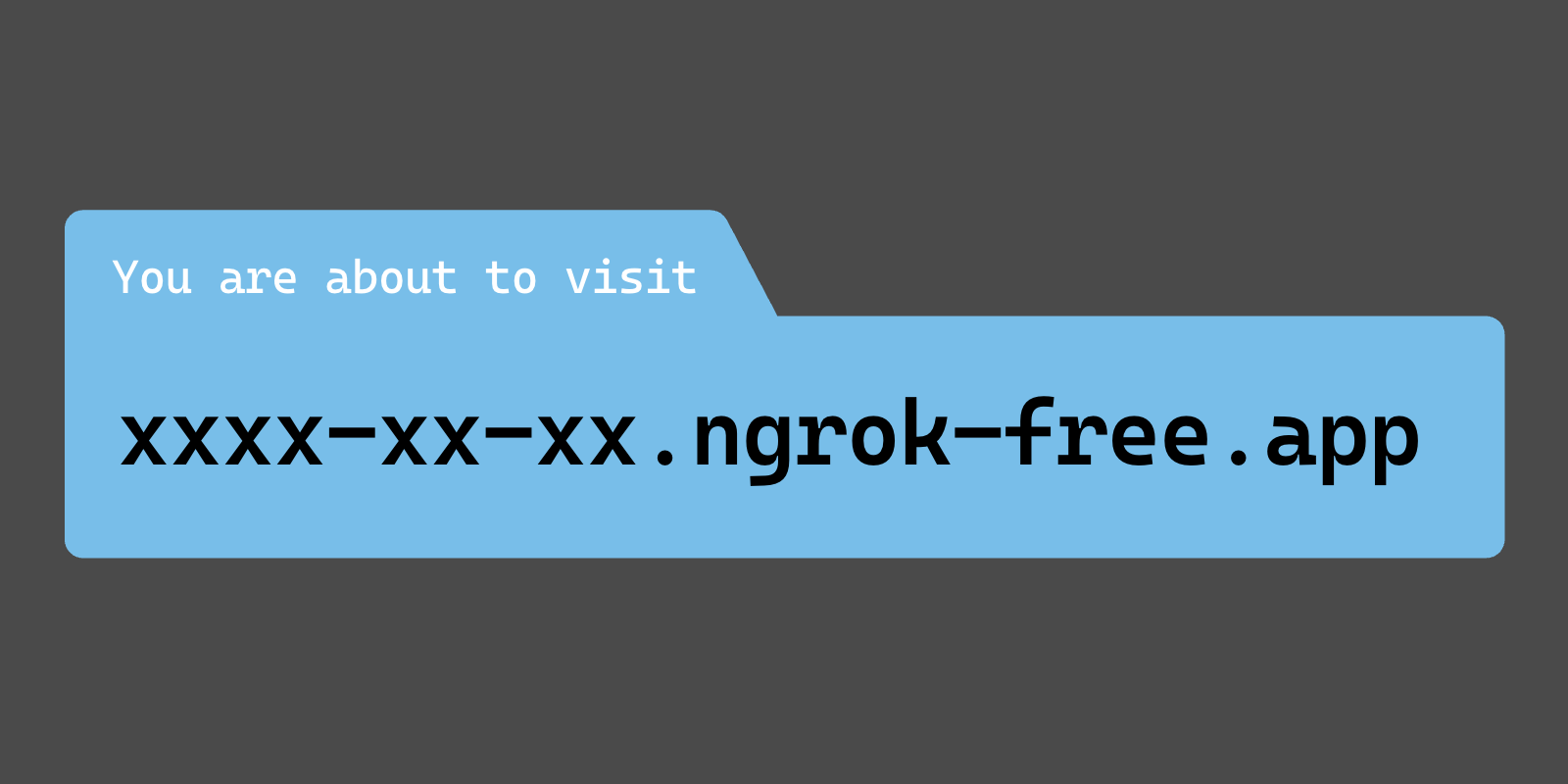

ERR_NGROK_6024 is the warning page ngrok's free plan puts in front of browser visitors "to deter phishing attacks" (ngrok's free plan limits↗). Your app and the ngrok agent are working. A visitor gets past the page by clicking Visit Site, which hides it on that domain for 7 days. Your own code gets past it by sending an ngrok-skip-browser-warning header with any value, or a User-Agent that does not look like a browser. For every visitor at once, it goes away only on a paid ngrok plan, from $10 a month or $96 a year (ngrok pricing↗), or on a tunnel that shows no page, compared below.
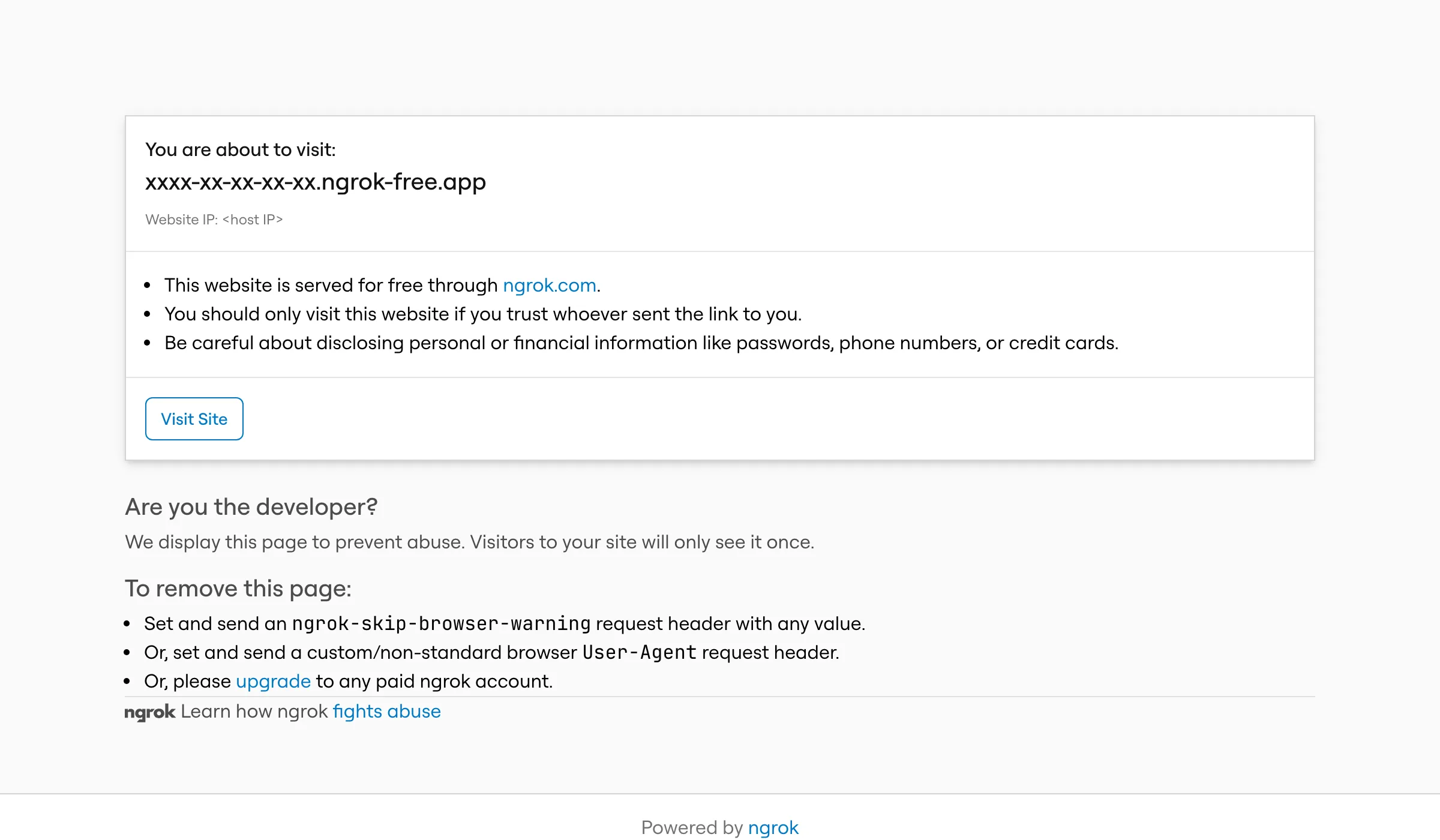
This is the page's text as ngrok serves it to a request with a browser User-Agent and Accept: application/json:
You are about to visit xxxx-xx-xx-xx-xx.ngrok-free.app, served by <host IP>. This website is served for free through ngrok.com. You should only visit this website if you trust whoever sent the link to you.

ERR_NGROK_6024
Unless marked otherwise, everything below was measured on 12 November 2026 against a free ngrok endpoint (agent 3.39.13) in front of a small test app, with curl, headless Chromium 148 and WebKit 26.4, the engine behind Safari. The hostname and IP are redacted, because on this account ngrok builds the hostname from the host's public IP. I build LocalCan, so weigh the cost comparison with that in mind. The commands and numbers come from my own runs.
Why ngrok shows ERR_NGROK_6024
ngrok's docs say the page sits "in front of all HTML browser traffic on the free tier" (free plan limits↗). In the test, the deciding factor for a GET was the User-Agent header. The path and the type of the app's response did not matter, and neither did the Accept header:
| Request | What came back |
|---|---|
GET / with a Chrome or iPhone Safari User-Agent | Warning page |
GET / with User-Agent: Mozilla/5.0 and nothing more | Warning page |
GET /api/items, a JSON endpoint, with a Chrome User-Agent | Warning page, as text/html or text/plain |
GET /logo.png with a Chrome User-Agent | Warning page, as text/html |
POST /api/items with a Chrome User-Agent | The app |
OPTIONS preflight with a Chrome User-Agent | The app |
GET / with curl's default User-Agent, or MyApp/0.0.1 | The app |
GET / with a Chrome User-Agent and ngrok-skip-browser-warning set to 1, false, or left empty | The app |
The warning page comes back as a success. These are the headers for the first row:
HTTP/2 200
content-type: text/html
ngrok-error-code: ERR_NGROK_6024
referrer-policy: no-referrer
x-robots-tag: noindex, nofollow
content-length: 2791
date: Thu, 12 Nov 2026 11:34:22 GMT
A check on the status code sees 200 and passes. ngrok answers these requests itself, so they never reach your app, and ngrok's own inspector at localhost:4040 does not list them either. In the test, none of the requests that got the warning page showed up in the app's log or in the inspector, and the 14 that got through showed up in both. So an empty log on your side and a 200 in the browser is how ERR_NGROK_6024 looks to the developer.
Webhook deliveries are usually POST requests, and in the test a POST reached the app even with a Chrome User-Agent. ngrok says the page "does not impact users serving APIs or accessing ngrok endpoints programmatically" (free plan limits↗). Is ngrok safe? covers why ngrok puts the page there and what else a free URL shows a visitor.
Why a fetch to a free ngrok URL fails with a CORS error
A front end on another origin that calls an API through ngrok shows a CORS error, and the warning page never appears. In the test the front end was a static page on http://localhost:8766, and before Visit Site every fetch without the header logged this and rejected with TypeError: Failed to fetch:
Access to fetch at 'https://xxxx-xx-xx-xx-xx.ngrok-free.app/api/items' from origin 'http://localhost:8766' has been blocked by CORS policy: No 'Access-Control-Allow-Origin' header is present on the requested resource.
The test app sent Access-Control-Allow-Origin: * on every response. The response the browser got was ngrok's warning page, which carries no CORS headers, so adding CORS headers to your server changes nothing here.
Clicking Visit Site does not fix the front end either. The click stores a cookie for the ngrok domain, and a cross-origin fetch sends no cookies unless you pass credentials: 'include'. After the click, the same fetch failed the same way. With credentials: 'include' the request reached the app, and the browser then rejected the app's *, because a request that carries cookies needs a named origin in Access-Control-Allow-Origin and Access-Control-Allow-Credentials: true (MDN on credentialed requests↗).
Images break the same way. An <img> pointing at the ngrok URL fired its error event until Visit Site was clicked, because the image request got the HTML page. After the click it loaded in Chromium, on the ngrok domain and from the other origin.
Why Visit Site keeps coming back in an embedded app
The Visit Site button runs a few lines of JavaScript from ngrok's page script↗. They write a cookie named abuse_interstitial, valid for 7 days, with SameSite=None; Secure, and reload the page. The cookie comes from page JavaScript rather than from the server.
When your app runs inside an iframe on another site, as an app in the Shopify admin does (App Home↗), that cookie is a third-party cookie. In the test, clicking Visit Site inside a cross-site iframe loaded the app in Chromium and showed the warning page again in WebKit, in two runs each. The same click on the URL opened directly worked in both.
Safari has blocked cookies for cross-site resources by default since version 13.1 (WebKit's announcement↗). A Shopify Community thread↗ describes the loop ("When clicking the 'Visit site' button, it just shows the same message again"), and the poster later traced it to browser settings that block "trackers, ads and fingerprinting".
With JavaScript turned off, the page has no button. The visitor sees the sentence ending in "(ERR_NGROK_6024)" and has no way through.
How to skip the ngrok browser warning (ERR_NGROK_6024)
From your own front end, send the header with the request:
const res = await fetch('https://your-domain.ngrok-free.app/api/items', {
  headers: { 'ngrok-skip-browser-warning': '1' },
})
A custom header makes the browser send a CORS preflight first. ngrok passes that OPTIONS request through to your app, so your server has to answer it and list the header in Access-Control-Allow-Headers. The test app answered with Access-Control-Allow-Headers: ngrok-skip-browser-warning, content-type, and the fetch that failed above returned the JSON. Any value works. In the test, false and an empty value skipped the page too. ngrok's docs show the same header for axios, SuperAgent and jQuery (removing the interstitial page↗).
From scripts and tools, send a User-Agent of your own, such as MyApp/0.0.1. curl's default User-Agent already gets through. A bare Mozilla/5.0 counts as a browser.
From browser tests, a test runner that drives a real browser gets the page like any visitor. Playwright can add the header to every request the browser makes, page loads and images included (extraHTTPHeaders↗):
import { defineConfig } from '@playwright/test'

export default defineConfig({
  use: { extraHTTPHeaders: { 'ngrok-skip-browser-warning': '1' } },
})
In the test, a page load with this option got the app and its image, and the same page load without it got the warning page. The header goes on every request the browser makes, calls to other hosts included, and a cross-origin API that does not allow it in its CORS preflight will refuse those calls.
For people you send the link to, there is no header to set. Each person clicks Visit Site once per browser, and the page stays away on that domain for 7 days, unless they open it inside an embedded app in Safari, where the click did not stick in WebKit. ngrok removes the page for every visitor on any paid plan (free plan limits↗). The cheapest is Hobbyist, at $10 a month or $96 a year (ngrok pricing↗). A link on your own domain also names you rather than a shared ngrok-free.app hostname. ngrok includes your own domain only on Pay-as-you-go, at $20 a month plus $0.01 per active hour (ngrok pricing↗), and LocalCan Solo includes 2 custom domains for $10 a month (pricing↗). How to share a vibe-coded app with a client compares the ways to send a link to someone outside your team.
What a URL without the warning page costs
| Tool | What a browser visitor sees first | Cost of a URL without the page |
|---|---|---|
| ngrok Free | ERR_NGROK_6024, then the app for 7 days on that domain after Visit Site | Any paid plan. Hobbyist is $10 a month or $96 a year, with 5 GB and 100,000 requests included, and usage stops when its credit runs out (pricing↗) |
| Cloudflare Quick Tunnel | The app (tested 12 November 2026) | $0, no account. A temporary trycloudflare.com URL from each run, with "no uptime guarantee", for "testing and development" (Quick Tunnels↗) |
| localtunnel | A "Tunnel website ahead!" page that asks for the host's public IP (HTTP 511, tested October 2026 through five tunnels) | No plan removes it. The page says code can skip it with a bypass-tunnel-reminder header |
| LocalCan Free | The app (same October test) | $0. One Public URL at a time on trylocalcan.com, up to 60 minutes, a new random URL each session, 1 GB a month (Free plan) |
| LocalCan paid plans | The app (tested 12 November 2026) | Solo is $10 a month or $96 a year: 5 live Public URLs, 2 custom domains, password protection, and no fixed bandwidth limit under fair use (pricing↗, terms↗) |
Which row fits depends on who opens the URL. API clients that send their own User-Agent, and POST requests such as webhook deliveries, got through in the test, so for them ngrok's free plan works and its other limits matter more (ngrok's free tier limits covers the 1 GB and 20,000-request caps). For a one-off link, a Cloudflare Quick Tunnel and LocalCan's Free plan both show no page at $0, and both give a new address each time: Cloudflare with no account, LocalCan with sessions of up to 60 minutes. For a link that keeps its address with no warning page, ngrok Hobbyist and LocalCan Solo both cost $10 a month. On Solo, a Public URL (also called a tunnel) stays reserved for a few days while LocalCan is closed or the computer is off (Public URLs), and one on your own domain never expires (custom domains).
How to check that ERR_NGROK_6024 is gone
Send a request with a browser-like User-Agent and look for the ngrok-error-code header, since the status is 200 either way:
curl -s -o /dev/null -D - -A 'Mozilla/5.0' https://your-domain.ngrok-free.app/ | grep -i -e '^HTTP' -e ngrok-error-code
On a free endpoint with no fix, it printed:
HTTP/2 200
ngrok-error-code: ERR_NGROK_6024
With -H 'ngrok-skip-browser-warning: 1' added, it printed only the HTTP/2 200 line. Keep the -A 'Mozilla/5.0', because curl's default User-Agent gets through without the fix and the check would always pass. For a fetch that fails with a CORS error, run the same command with that request's URL.
To check in a browser instead, open a new private window with no other private windows open, or delete the abuse_interstitial cookie for the domain first. A browser that clicked Visit Site skips the page for 7 days whatever you changed, and the page returns on its own when the cookie expires.