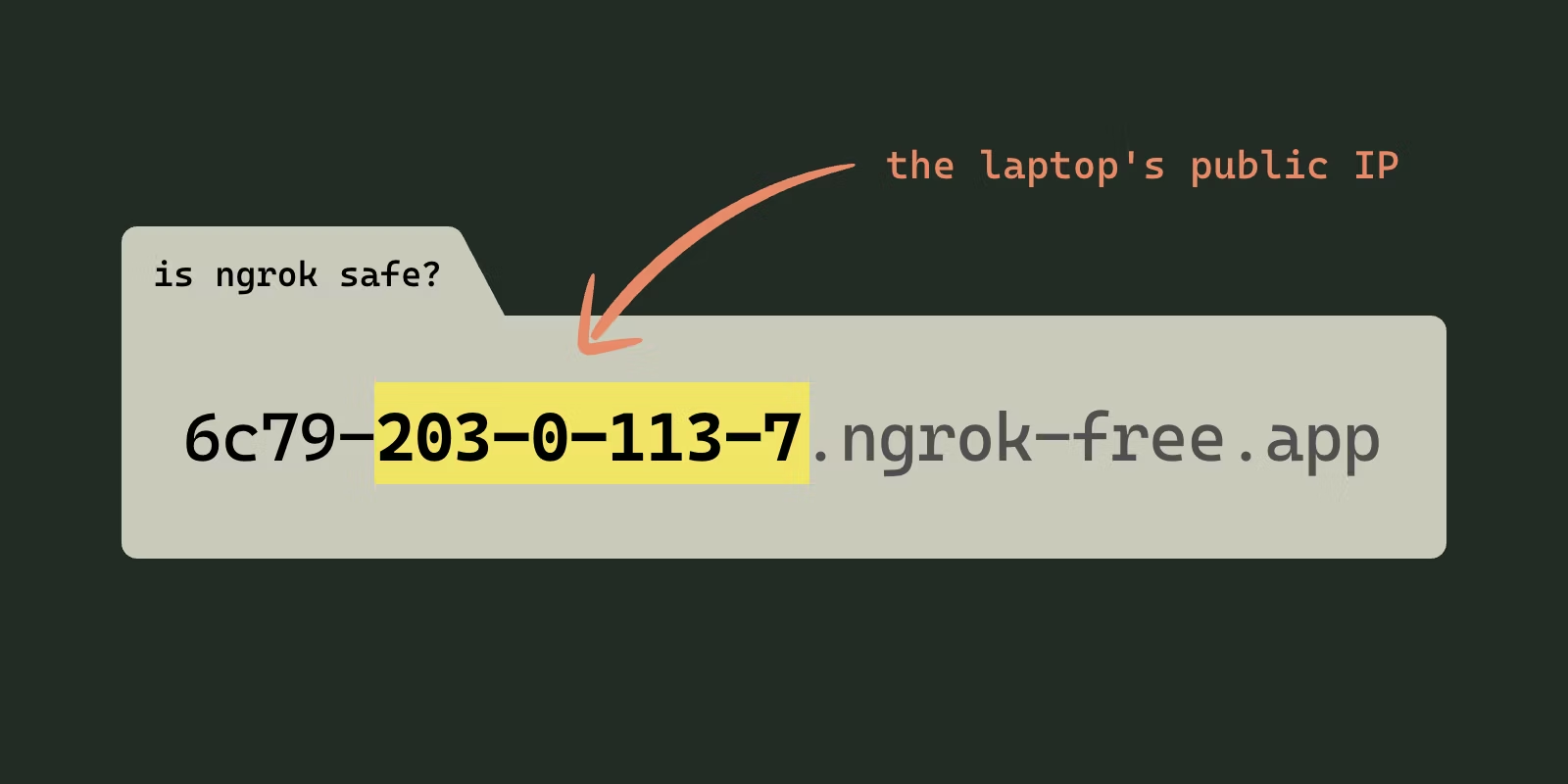

Yes, ngrok is safe in the sense most people mean: it is a legitimate tool from ngrok Inc. and it is not malware. Whether it is safe at your company depends on two things. A free ngrok URL opens whatever runs on the shared port to anyone who has the link, and on a work laptop the tunnel runs on a personal account the company cannot see, audit or switch off when the developer leaves.
I build LocalCan, a tunnel tool that competes with ngrok, so weigh what follows with that in mind. The captures below were run on 3 November 2026 from one Mac on Wi-Fi, against ngrok 3.39.13 on a Free account, a Cloudflare quick tunnel, localtunnel 2.0.2, localhost.run and Pinggy, plus LocalCan 1.3.2 on my paid plan, each pointed at a static test page. My public IP is masked as 203.0.113.7 and my LAN address as 192.168.1.x. An AI assistant helped draft this post. The commands and numbers come from my own runs.
Is ngrok malware?
No. MITRE ATT&CK, the catalogue security teams use to describe attacker behaviour, lists ngrok as "a legitimate reverse proxy tool that can create a secure tunnel to servers located behind firewalls or on local machines that do not have a public IP" (MITRE ATT&CK S0508↗). The same entry lists the groups that have used it, including Scattered Spider and Fox Kitten, and techniques including protocol tunneling and command-and-control. Sophos calls it "a legitimate remote-access tool" that "is regularly abused by attackers", and its incident guide tells responders to first check whether ngrok is on the network for legitimate reasons (Sophos incident guide↗).
That double use is why some networks block it by default. ngrok's own firewall guide notes that "ngrok may be blocked on Fortinet firewalls" (ngrok docs↗). ngrok's answer to the question, on its own blog, is "When used correctly, we believe ngrok does not pose any significant threat to the security of your organization" (ngrok blog, 2023↗).
What does an open free-tier URL expose?
It exposes everything listening on the port you share to anyone with the link. Cloudflare says it plainly about its quick tunnels: "Anyone with the URL can access your local service" (Cloudflare docs↗). A dev server behind that URL often has debug pages on, test credentials in its config and an admin route nobody locked, which is how a framework bug on a laptop becomes an internet-facing one. The php2shell check for Herd and Valet sites behind a tunnel walks through one such case.
Three of the five free URLs showed the laptop's public IP to visitors, two of them in the hostname itself. This is what each tool handed out and what a visitor opening the link in Chrome saw first:
| Tool | URL from the run | Shown to a browser | Your IP visible to visitors |
|---|---|---|---|
| ngrok | 6c79-203-0-113-7.ngrok-free.app | warning page (ERR_NGROK_6024) | in the hostname and on the warning page |
| Cloudflare quick tunnel | creek-racing-kent-painted.trycloudflare.com | the app | no |
| localtunnel | heavy-dogs-tell.loca.lt | "Tunnel website ahead!" page, HTTP 511 | on the warning page |
| localhost.run | 37a3595c309fd6.lhr.life | the app | no |
| Pinggy | rmivn-203-0-113-7.run.pinggy-free.link | "Caution" page | in the hostname and on the warning page |
| LocalCan (paid plan) | kind-dog.localcan.dev | the app | no |
The IP in the ngrok and Pinggy hostnames was the public IP the laptop connected from, and it was there before anyone had visited. On a laptop in the office, that is the office's address. ngrok's page reads "You are about to visit 6c79-203-0-113-7.ngrok-free.app, served by 203.0.113.7." localtunnel's page says why it does the same: "We display this page and expose the host's IP to prevent abuse." LocalCan's Free plan, which I did not rerun for this post, serves the app on the first request too, at a random-word trylocalcan.com address with no IP in it (ngrok alternatives comparison).
The warning pages stop browsers only. A plain curl with no browser User-Agent reached the test app directly on all five, which is what a scanner or a script sends. ngrok documents the bypass as a request header: "add a header value of ngrok-skip-browser-warning and set it to any value" (ngrok free plan limits↗).
Can someone on my network read the tunnel traffic?
With localtunnel, yes. The other four free tools and LocalCan encrypt the leg to the laptop with TLS, QUIC or SSH. A localtunnel visitor opens https://heavy-dogs-tell.loca.lt over HTTPS, and loca.lt then forwards the request to the laptop over plain TCP, on port 19899 in this run, with no TLS. This is the request as it crossed my Wi-Fi, read straight from the packet capture:
$ tshark -r localtunnel.pcap -Y 'tcp.port==19899 && http.request' -T fields \
    -e frame.time_relative -e ip.src -e ip.dst -e http.request.method -e http.request.uri \
    -e http.host -e http.user_agent -e http.x_forwarded_for
9.894900000	193.34.76.44	192.168.1.x	GET	/api-marker-localtunnel-7f3a	heavy-dogs-tell.loca.lt	curl/8.15.0	203.0.113.7
The method, path, Host, User-Agent and visitor's IP are readable by the network's operator and by anyone else who can see the laptop's traffic. Form posts and cookies travel the same way. In this run localtunnel also stopped serving within the hour (loca.lt answered 408 while the client kept running). The localtunnel "connection refused" fix covers how its tunnels drop.
Will scanners find an open tunnel URL?
None found mine within an hour. I left all five URLs open from 10:29 UTC (Pinggy from 10:31), with the test server logging every request. ngrok, Cloudflare and Pinggy stayed up until I stopped them at 11:29. localhost.run closed its session after about 35 minutes ("tunnel activity timeout"), and localtunnel stopped serving at most 38 minutes in. Apart from my own marked checks the server logged zero requests. One quiet hour on one day says little about the next one. Anyone the link reaches through a chat, a ticket or a webhook dashboard gets the same access.
How do companies find and block tunnels?
From the network side, every tool left a trace, LocalCan included, though localhost.run's was only an SSH session to a bare IP address. I captured each tool's start-up with tcpdump and read the packets with tshark:
| Tool | Agent connects to | Port and protocol | Hostname visible in TLS (SNI) |
|---|---|---|---|
| ngrok | connect.ngrok-agent.com | TCP 443, TLS | connect.ngrok-agent.com, update.ngrok-agent.com |
| Cloudflare quick tunnel | api.trycloudflare.com, then a Cloudflare edge | TCP 443, then UDP 7844 (QUIC) | api.trycloudflare.com, quic.cftunnel.com, probe.cftunnel.com |
| localtunnel | localtunnel.me, then the same server | TCP 443, then a high TCP port (19899 here) with no TLS | localtunnel.me |
| localhost.run | localhost.run | TCP 22, SSH | none |
| Pinggy | free.pinggy.io | TCP 443, SSH with no TLS | none |
| LocalCan | the fastest of three edges it races (Amsterdam won) | UDP 443, QUIC | ams.edge.localcan.dev, sfo.edge.localcan.dev, sgp.edge.localcan.dev |
Three layers catch most of this.
DNS. ngrok's own advice for companies is "The fastest approach is to block DNS lookups to the URLs used by the agent to connect to the ngrok cloud", and its Security Quick Wins page↗ lists them: connect.ngrok-agent.com, the regional connect.<region>.ngrok-agent.com names, and the older tunnel.ngrok.com family. For Cloudflare's agent, its firewall page↗ lists region1.v2.argotunnel.com and region2.v2.argotunnel.com on port 7844 over TCP and UDP.
TLS hostnames and ports. A proxy or firewall that reads SNI sees the names in the table above even when DNS is hidden. ngrok also fetched its certificate revocation list over plain HTTP on port 80, so a proxy can match Host: crl.ngrok-agent.com without TLS inspection. UDP 7844 for cloudflared is unusual enough to flag on its own. localtunnel's traffic port is assigned per tunnel (19899 here), on the same server that answered for localtunnel.me. The three edges LocalCan tried all end in .edge.localcan.dev, so one wildcard rule covers its tunnel connections.
The laptop itself. Endpoint tools look for the binary, its config file and its child processes. The Sophos guide is built on that: find ngrok config files, find ngrok processes tunneling a port such as RDP 3389, then look for RDP logins from the loopback address (::1), which is how a session through the tunnel shows up.
What does blocking miss?
Encrypted DNS. With the Mac's DNS server set to 1.1.1.1, none of ngrok's lookups appeared as ordinary DNS on port 53. macOS had upgraded the resolver to DNS over HTTPS on its own, which Apple added in macOS Ventura for resolvers that advertise it (WWDC22, Improve DNS security↗). A lookup of a name that had never been resolved before produced no packet on port 53 and one exchange with 1.1.1.1 on port 443. The ngrok connection still carried connect.ngrok-agent.com in its TLS handshake, so an SNI rule would have caught what a DNS rule missed.
Apple's session also says DDR, the mechanism behind the upgrade, "does not work if your DNS server's IP address is a private IP address", which covers most internal resolvers. The gap opens when the laptop resolves names somewhere else, for example through a public resolver.
SSH on port 443. Pinggy's agent speaks SSH on port 443 with no TLS around it, so there is no hostname for an SNI rule to match. A firewall that allows 443 by port lets it through. A rule on Pinggy's server addresses stops it, and so does a firewall that checks the protocol on port 443, because the first bytes on the wire are an SSH version string:
$ tshark -r pinggy.pcap -d tcp.port==443,ssh -Y 'ssh.protocol' -T fields \
    -e ip.src -e ip.dst -e tcp.dstport -e ssh.protocol
192.168.1.x	213.109.192.63	443	SSH-2.0-OpenSSH_10.3
213.109.192.63	192.168.1.x	62237	SSH-2.0-Pinggy.IO
The laptop on another network. Every rule above lives on the company network. The same laptop on home Wi-Fi or a phone hotspot starts the tunnel with nothing in the way, unless an always-on VPN or an endpoint agent travels with it.
The visitors. Tunnel traffic from outside never crosses your network. It arrives at the provider's servers and comes down the laptop's outbound connection. Blocking *.ngrok-free.app on the office network stops employees from opening other people's tunnels, which is a useful phishing control, and does nothing about a tunnel your laptop is serving to the world.
The next tool. A block list covers the tools someone thought to add. The awesome-tunneling list↗ is long, and several of its entries are an SSH command with no install at all.
A block list also cannot tell a company account from a personal one. ngrok has two controls aimed at personal accounts. Account Domain Controls↗ stop staff from signing up with the company's email domain and send those sign-ups to your SSO instead. They need an SSO identity provider and are priced on request, and they do nothing about an account opened with a personal address. A custom connect URL↗ makes your company's agents connect to a hostname you own, such as connect.acme.com, and ngrok's firewall guide↗ says it "ensures that no one can bring their own ngrok account" once the default hosts are blocked. ngrok bills it at $0.068 per endpoint hour (ngrok pricing↗).
What should an approved team tunnel have?
Blocking pushes people toward the tools you have not listed yet. The steadier fix is a tunnel tool the company owns, so nobody needs a personal free account. It should have:
- Sign-in through your identity provider (SSO), so tunnel accounts are company accounts.
- Offboarding from the identity provider (SCIM) that ends running tunnels, not only future sign-ins.
- An audit log of who joined, left and changed access.
- Access control on each URL: a password, a secret link or IP rules in front of the app.
On ngrok, dashboard SSO "is available on the Pay-as-you-go plan with the SSO & RBAC add-on enabled" (ngrok SSO docs↗). The plan is $20 a month plus usage and the add-on is $10 per user per month for all users. SCIM, audit logs and account-wide IP restrictions are a further suite at $15 per user per month that requires the SSO add-on (ngrok pricing↗). The SSO docs say to contact support about SCIM availability.
On offboarding, ngrok's users docs↗ say that when a user is deleted "all of its Credentials for that account are revoked and any agents using them will stop working". A disabled user "cannot log into the dashboard, start an ngrok agent or make API requests". The docs do not say whether a disable stops an agent that is already running, and give no timing for either.
On LocalCan, SSO and SCIM are part of the Teams plan with no add-on (SSO & SCIM overview), validated with Okta. When a person is deactivated or unassigned in Okta, LocalCan removes their membership, rotates their license key, revokes their dashboard sessions, deletes their Public URLs (also called tunnels) and records the offboarding in the team audit log. The one exception is the team owner, whom the identity provider cannot remove. The user lifecycle docs give the timing per plane: dashboard sessions and license validation end immediately, live tunnels within 5 minutes. Each Public URL can also sit behind a password, a secret link or IP rules enforced on LocalCan's servers (access control).
For safe-tunneling practice that applies to any tool, from authentication on the app to IP allowlists, the local tunneling guide has a section on it.
FAQ
Can I trust ngrok?
ngrok says it is SOC 2 Type 2 compliant and GDPR compliant, with SOC 2 reports available on request (ngrok security↗). Trust also covers what the provider can see. "All HTTPS endpoints terminate TLS at ngrok's cloud service" (ngrok TLS termination↗), so the requests to an ngrok http URL are decrypted on ngrok's servers. For traffic ngrok should not read, the same page describes TLS or TCP endpoints that terminate TLS at the agent, where "the ngrok cloud service can not see the payloads".
Is ngrok completely free?
ngrok has a Free plan with limits: one assigned dev domain on ngrok-free.app, 1 GB of data out and 20,000 HTTP requests a month, and the browser warning page shown above. The paid plans start at $10 a month for Hobbyist, which removes the warning page (ngrok pricing↗).
Which is better, nginx or ngrok?
They do different jobs. nginx is a web server and reverse proxy that runs on a server you control, with a public IP and a domain you point at it. ngrok gives a port on your own machine an internet address without a server, a public IP or open inbound ports. Teams often run both: nginx in production, a tunnel for the copy on a laptop.
What is better than ngrok?
The ngrok alternatives comparison compares LocalCan, Cloudflare Tunnel, zrok, localtunnel, PageKite and Tailscale on free tiers, prices and what a visitor sees first.